Purchase orders to suppliers
Build the order from what you are actually short of, adjust quantities and prices, and take it from draft to received without losing anything.
Updated on September 3, 2026
Where are purchase orders in Miselup?
Under Operations → Purchases. It is the purchase orders to suppliers screen: each row shows you the supplier (or «No supplier»), how many lines it has, the date, the total and its status. If your plan doesn’t include purchasing you will see the notice «Purchasing is available on the Mise Pro plan.» with the «View plans» button; you can compare what goes into each plan at miselup.pro/en/pricing.
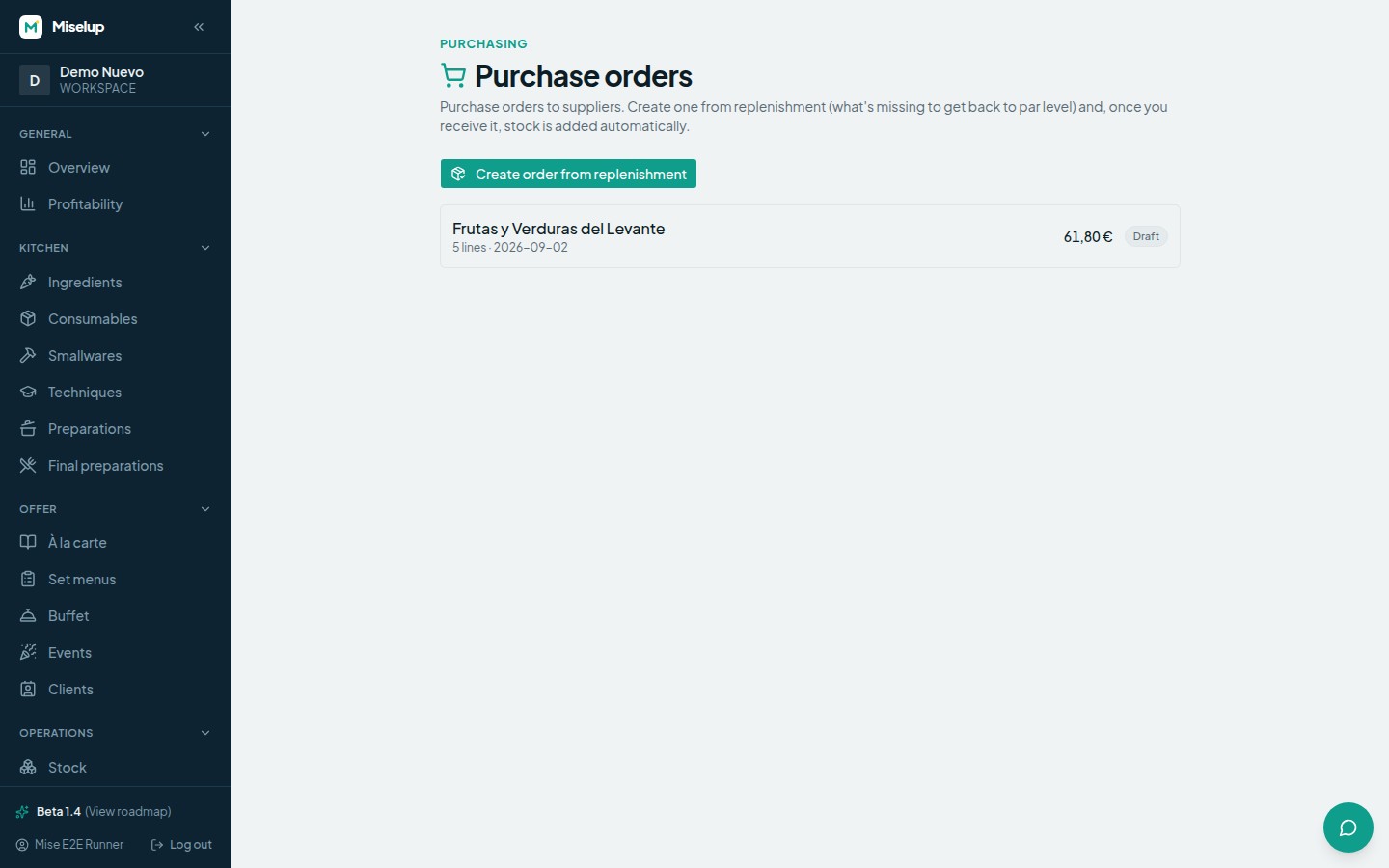
How do I create a purchase order?
The order is born out of replenishment — that is, out of what you are genuinely short of:
- Go to Operations → Purchases.
- Press «Create order from replenishment».
- Miselup looks for the ingredients below their ideal level (or below the minimum, if you haven’t set an ideal) and works out how much is missing to get back to that level.
- It splits those lines by supplier and creates one order per supplier. If only one comes out, it takes you straight to its detail; if several come out, it tells you «Created N orders grouped by supplier» and you see them in the list.
To choose who to order each ingredient from, Miselup follows this order: the ingredient’s active supplier, failing that the cheapest preferred one, failing that the cheapest, and if it has none at all the line falls into a «No supplier» order for you to assign yourself.
How do I adjust the lines of a purchase order?
Open the order from Operations → Purchases and edit line by line:
- Change the quantity of each item to the one you are really going to order.
- Adjust the unit price if the supplier has quoted you a different one.
- Remove the lines you don’t want with the trash button.
- Choose the order’s «Supplier» in the dropdown at the top (or leave it as «No supplier»).
The «Estimated total» recalculates on its own as you type, so you see the amount of the order before you send it.
What do Draft, Ordered and Received mean?
They are the three statuses a purchase order goes through:
- «Draft» — you are still preparing it. Everything is editable.
- «Ordered» — you have pressed «Mark as ordered» because you have already passed it to the supplier. You can still touch it if something changes.
- «Received» — you have pressed «Receive and add to stock». The order goes read-only and the quantities are already in your inventory.
Does Miselup send the order to my supplier?
No. «Mark as ordered» changes the purchase order’s status inside Miselup so that you know it has been placed; sending it to the supplier is something you do through your usual channel (phone, email, their platform). What Miselup does do for you is the other end of the cycle: when you receive it, it adds the stock. You have that step in receiving and lots.
Can I delete a purchase order?
Yes, with the «Delete» button inside the order. The order and its lines are deleted and you go back to the Purchases list.
Known limits
- Purchase orders are created only from replenishment: there is no blank order and no button to add a one-off line. If you want an item to go into the order, give it a minimum or ideal level in Stock so replenishment picks it up (you have it in inventory and valuation); and if you no longer want it in the order, remove the line.
- Replenishment only proposes ingredients. Preparations below level are produced, not bought.
- An order in «Received» status is locked: its lines can’t be edited and it can’t be received again.
- Accounts with the employee role don’t create or receive purchase orders.
Was this article helpful?
Thanks! This helps us improve the help center.
Related articles
-
Suppliers and their purchase prices
Add who sells to you, keep their prices by format, and see at a glance which supplier works out cheapest.
-
Receiving an order and working with lots
When you receive an order, Miselup adds the stock, creates the lot for what came in and updates that supplier's price.
-
Stock, counts and inventory valuation
Control what you have in storage, what it is worth, where it is and what you need to reorder, with movements and counts that adjust stock to reality.
Can't find what you're looking for?
Write to us and a real person from the team replies — no bots in the way when you need to talk.
Contact the team