Bring Your Data Into Miselup
Your recipe book in a spreadsheet, a handwritten notebook, a magazine recipe, a supplier's business card…
Take a photo or upload the file: the AI turns it into Miselup format and you just review it.
Two ways in, four formats
A file or a pasted text. From there, the AI works out what it is and prepares it.
A photo
Of your handwritten notebook, a magazine, a cookbook, or a supplier's card and letterhead. From your phone, right at the pass.
A PDF
The recipe, catalogue or price list your supplier sends, exactly as it lands in your inbox. Up to 8 MB per file.
A CSV
Your recipe book or smallwares list exported from the spreadsheet. Excel or Word? Not directly yet: export to CSV or PDF, or take a photo.
Pasted text
A recipe from a blog, a supplier's email with their prices, or whatever you generated with AI. Messy formatting is fine.
Three steps, and the last one is yours
The AI proposes; you decide. Never the other way around.
- 1
Pick your way in. Upload the file or paste the text. No need to tidy it up or give it a particular format first.
- 2
The AI works out what it is. It tells a recipe from a supplier or a smallwares list and builds the draft with every field filled in: name, category, servings, ingredients and steps.
- 3
You review and confirm. Fix whatever needs fixing and decide which ingredient in your pantry each line maps to, or create a new one. On confirm, the recipe lands with its costing already calculated.
Nothing is saved until you press the button. If something doesn't add up, you fix it before it lands — or it doesn't land.
The screen, as it is
Real screenshots of the Importer in production. No mockups, no design comps.
-
Both ways in, side by side
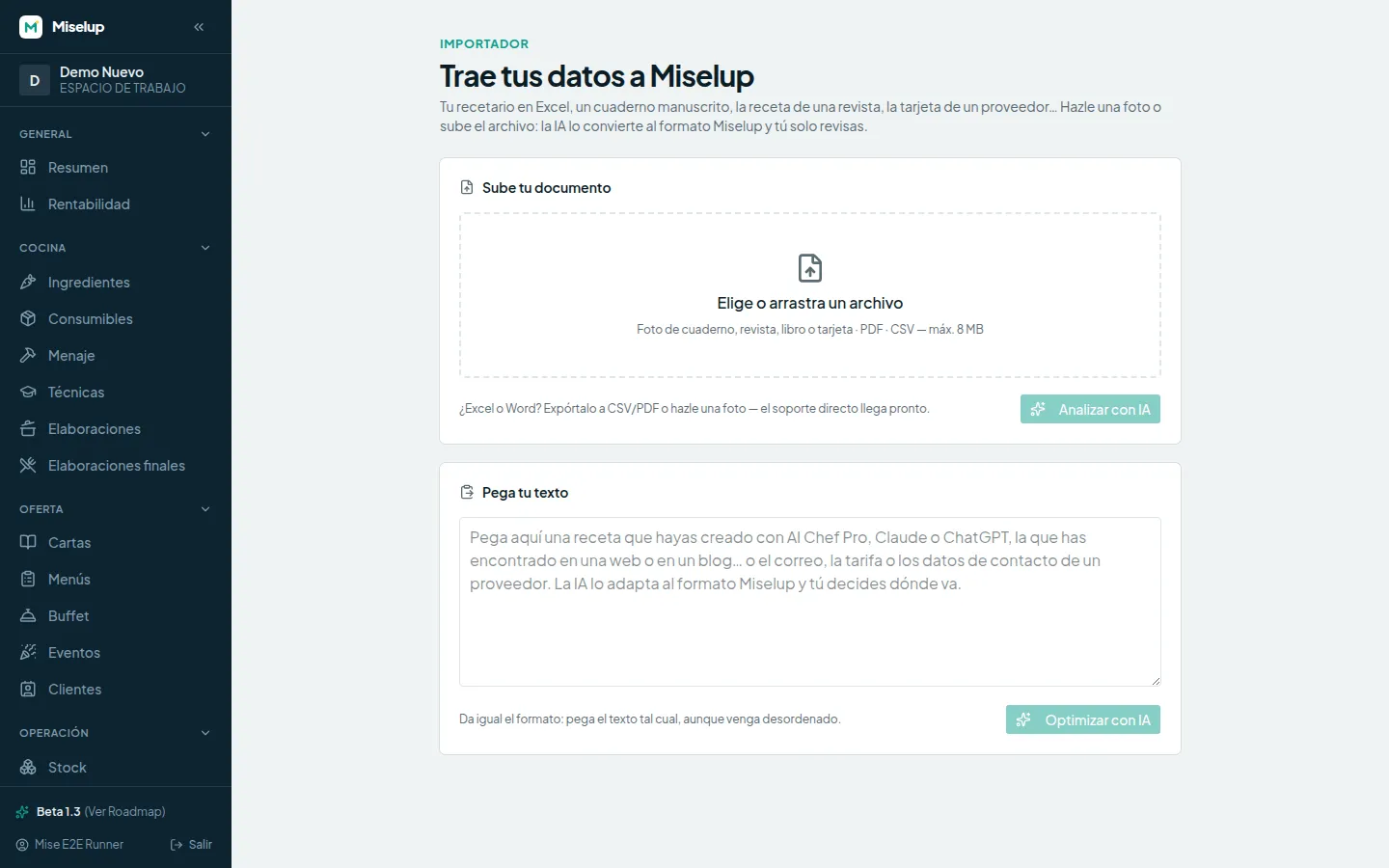
On top, the file: photo, PDF or CSV, up to 8 MB. Below, the box to paste the text however it comes.
-
A pasted recipe, ready to analyse
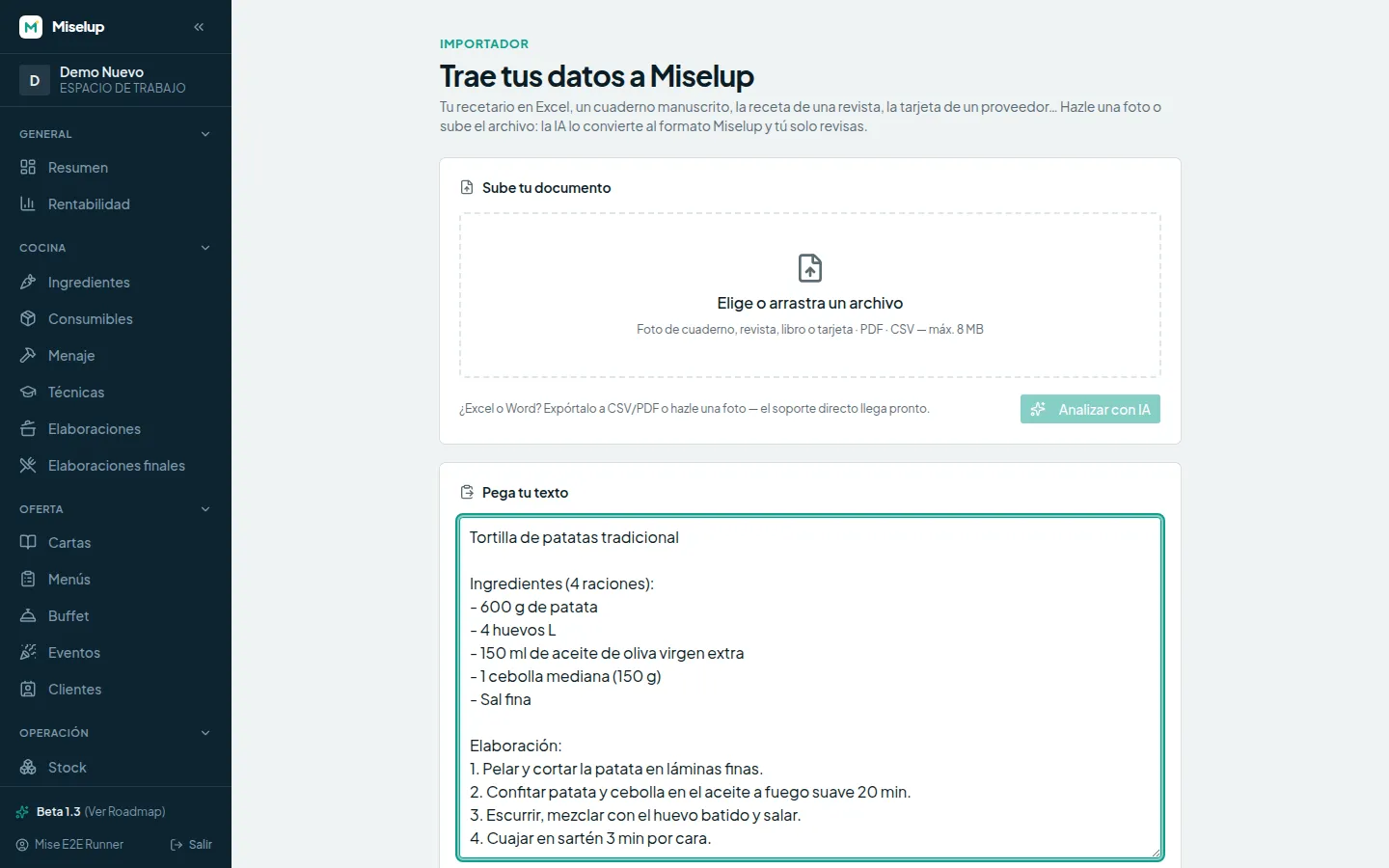
A Spanish potato omelette copied from anywhere: ingredients, quantities and steps in plain text. That's enough.
Generating recipes with AI? This is where they land
Miselup doesn't invent recipes: it costs them. Creating them is AI Chef Pro's job, our sister platform, with 55+ AI tools for chefs.
The Importer is the bridge between the two: whatever comes out of its agents, you copy, paste here, and it becomes a costed record inside Miselup.
- 1
Generate in AI Chef Pro
Ask its agents for the recipe, the variation or the menu you need.
- 2
Paste it into the Importer
Copy the result and drop it in the text box. No formatting required.
- 3
A costed record
Miselup creates it with its costing calculated, its allergens flagged and its cost per serving.
Each does its own job: AI Chef Pro doesn't track your costs and Miselup doesn't invent recipes. The bridge joins them.
Frequently Asked Questions
AI Importer
Which formats does it take today?
Can I upload an Excel or Word file directly?
What if the AI gets it wrong?
Does it calculate the cost on import?
Does Miselup generate recipes with AI?
Start with whichever recipe is closest to hand
The one in the notebook, the one in the PDF, or the one you just generated with AI. Bring it in and see what it really costs.