Connect Miselup to Your AI and Let It Work for You
You ask. Your AI answers… with YOUR real data.
Ask about your menu's food cost, yesterday's results, or add ingredients without opening Miselup.
How did yesterday go?
Yesterday you closed above your Tuesday average and food cost stayed on target. Want the expense breakdown by category?
Break down the Grilled octopus costing with each ingredient's price.

Supported assistants
- Claude Desktop — Compatible
- Claude Code — Compatible
- Manus — Compatible
- ChatGPT — Compatible
- Gemini — Compatible
- Cursor — Compatible
- Antigravity — Compatible
- Perplexity — Compatible
- Copilot — Compatible
- Grok — Compatible
- Kimi — Compatible
- Meta Llama — Compatible
- Nous Hermes — Compatible
- OpenClaw — Compatible
The MCP is the bridge: it turns what you ask into secure queries over your data and returns the answer inside your assistant.
Why Miselup's MCP is a Game Changer
Your Business's Real Data
No simulations. Your AI accesses your recipe costing, P&L, and inventory in real time.
In Your Everyday Assistant
Connect it to any assistant that supports MCP: Claude, ChatGPT, Perplexity, and many more.
It Doesn't Just Answer, It Acts
Add ingredients — and suppliers, from Mise Essential — by dictating or pasting lists, with all their properties.
What You Can Ask (and What It Answers)
Instant Recipe Costing and Food Cost
Forget searching for spec sheets. Ask for the real cost of any final preparation, including allergens and formats, calculated with the same formulas the app uses.
Break down the recipe cost for Grilled octopus
Which final preparations have a food cost above 35%?
Day-to-Day P&L
Check yesterday's results or the month-to-date total without touching a spreadsheet. Your AI tells you net sales, expenses by category, and prorated fixed costs.
How did yesterday go?
Am I making or losing money this month? (month-to-date, Mise Pro only)
Inventory and Profitability Under a Microscope — Mise Pro
Detect which final preparations have the lowest margins and which ingredients drive your costs, with valued inventory and items below par level.
What are the top 5 ingredients driving costs on my menu?
Which final preparations have the lowest margin, from worst to best?
Additions and Maintenance by Voice or Chat
Create suppliers, edit prices, or deactivate ingredients using the same logic as the forms. All without opening Miselup and with soft delete.
Create the supplier Pescadería Marejada and add these 10 ingredients with their prices
Edit the price of crushed tomatoes to €2.10/kg
This Is What It Actually Looks Like — No Mockups
Real screenshots from the first full test run in Claude Desktop, with sensitive data blurred. This is not a mockup: it's the connector working on a real account.
-
Just Another Connector in Claude Desktop
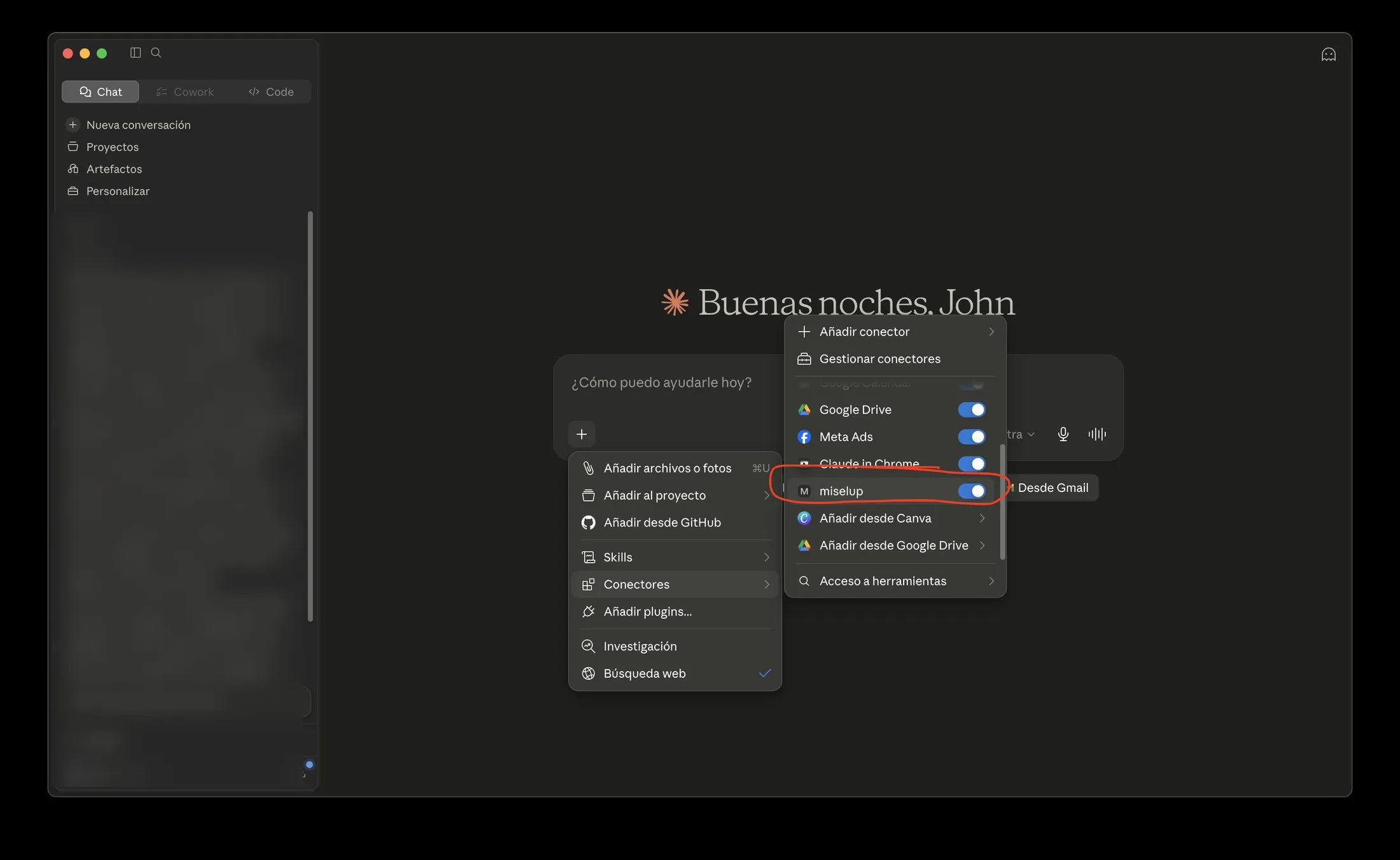
Miselup shows up next to Google Drive or Gmail. No exports: your AI talks directly to your real data.
-
You Approve Every Tool
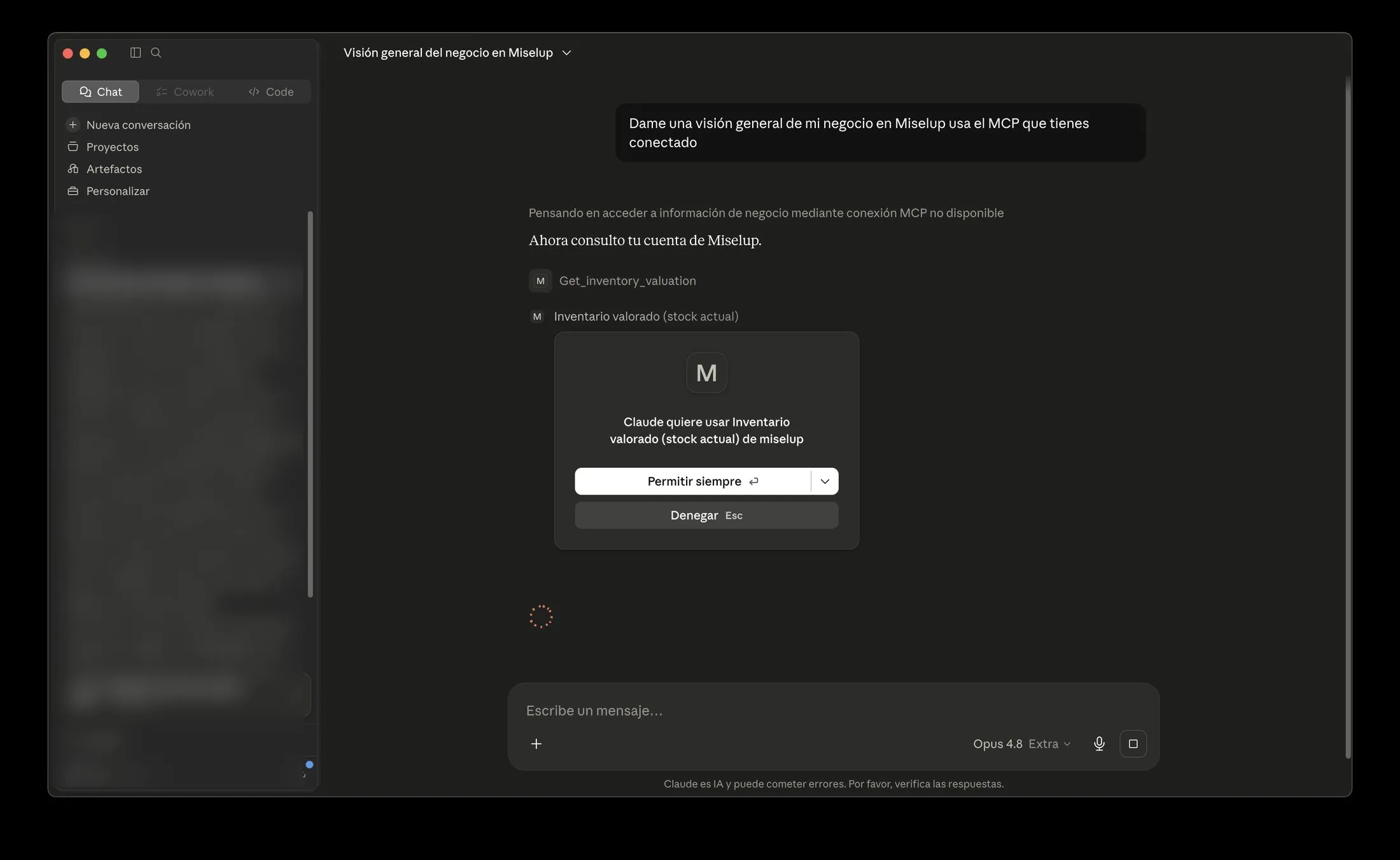
Claude asks for permission before using each connector capability. Full control, step by step.
-
“Give Me an Overview of My Business”
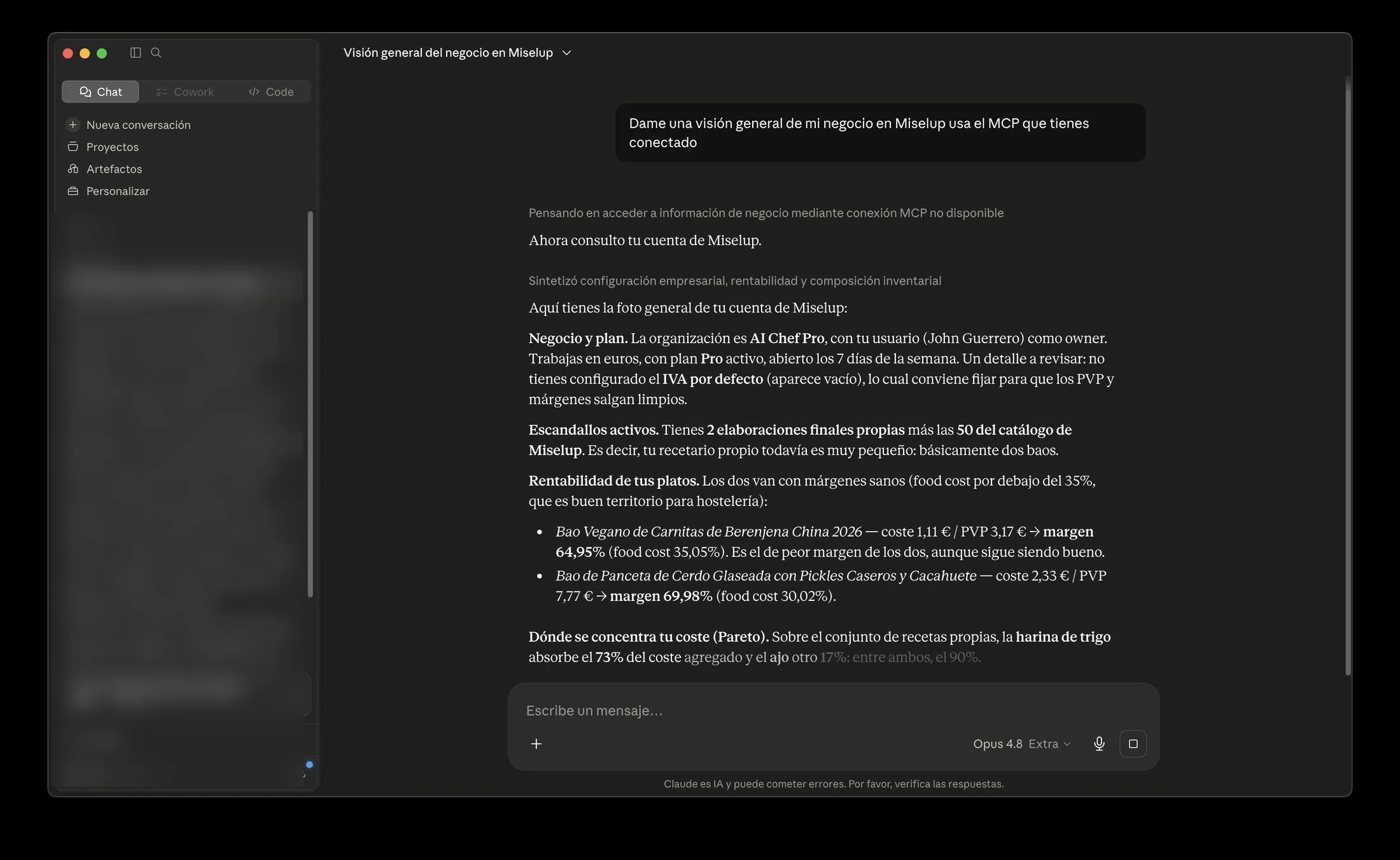
Plan, currency, active recipes, profitability per item and where your costs concentrate — in a single answer.
-
The Recipe Costing, Line by Line
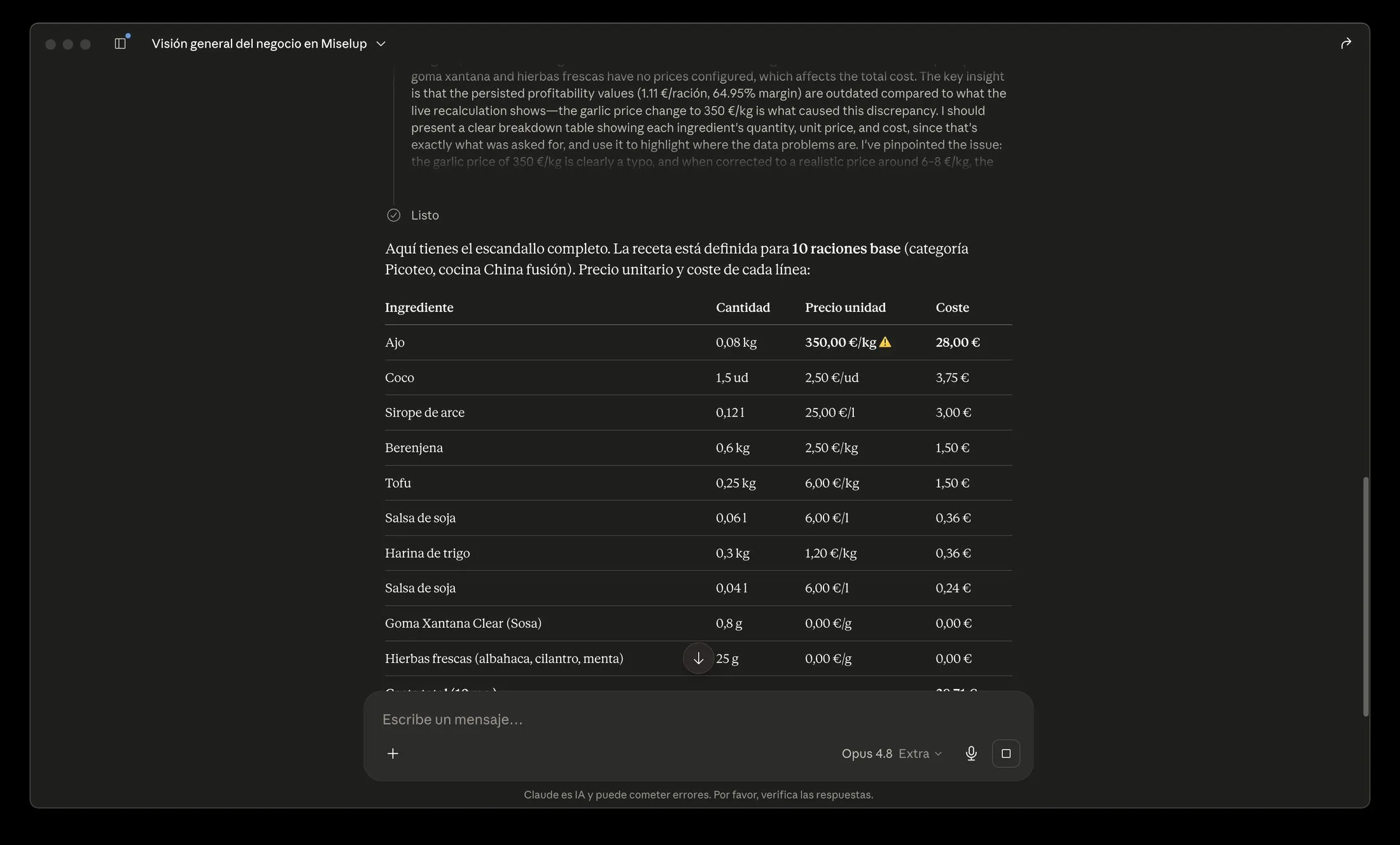
Recalculated live with the same formulas as the app… including an automatic warning on an impossible price: garlic at €350/kg.
-
It Catches a Real Data Error
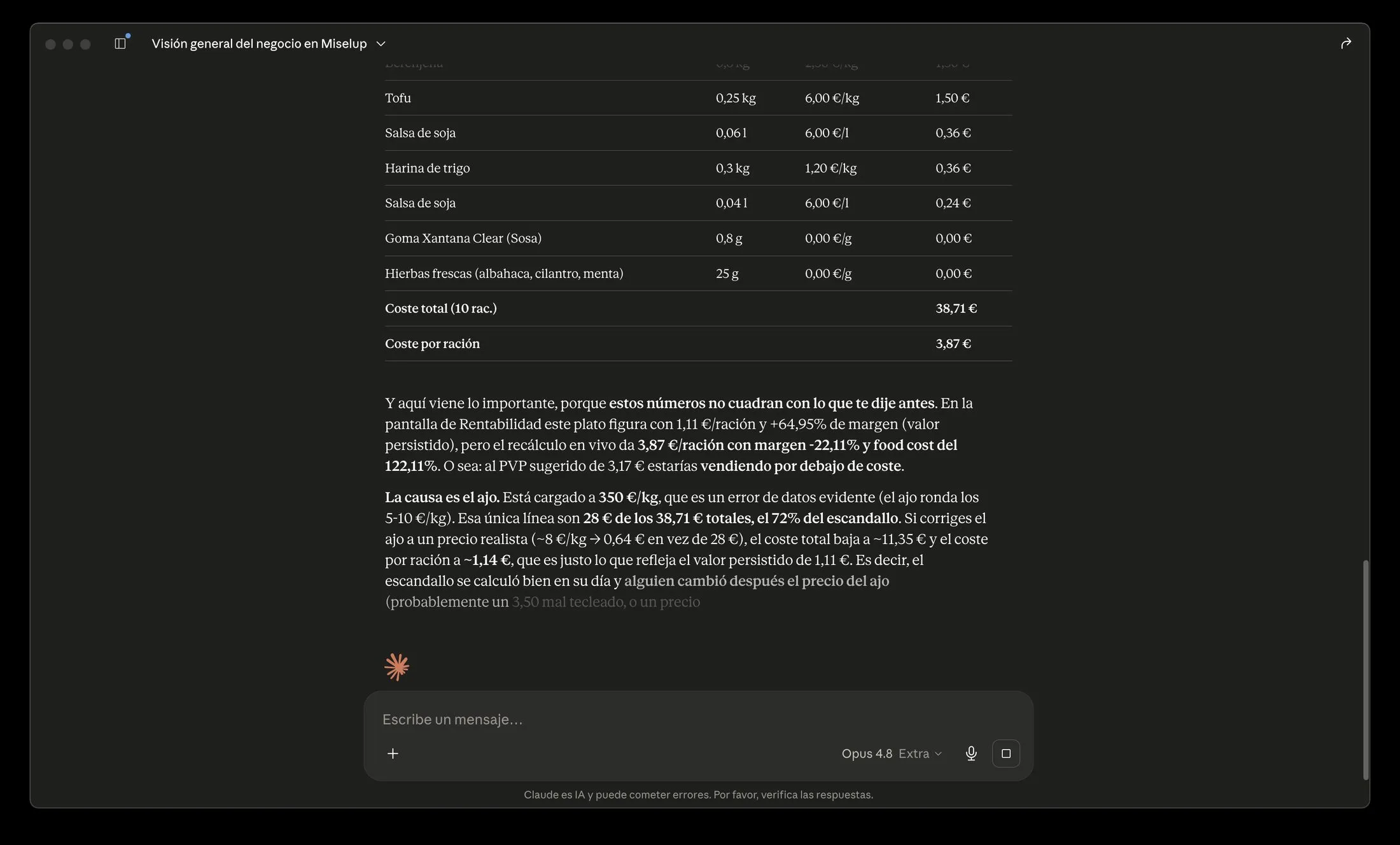
Stored margin +64.95% vs live recalculation −22.11%: the garlic price was a typo. The AI detects it, explains it and proposes the fix.
-
Superadmin: Step Into a Client Account
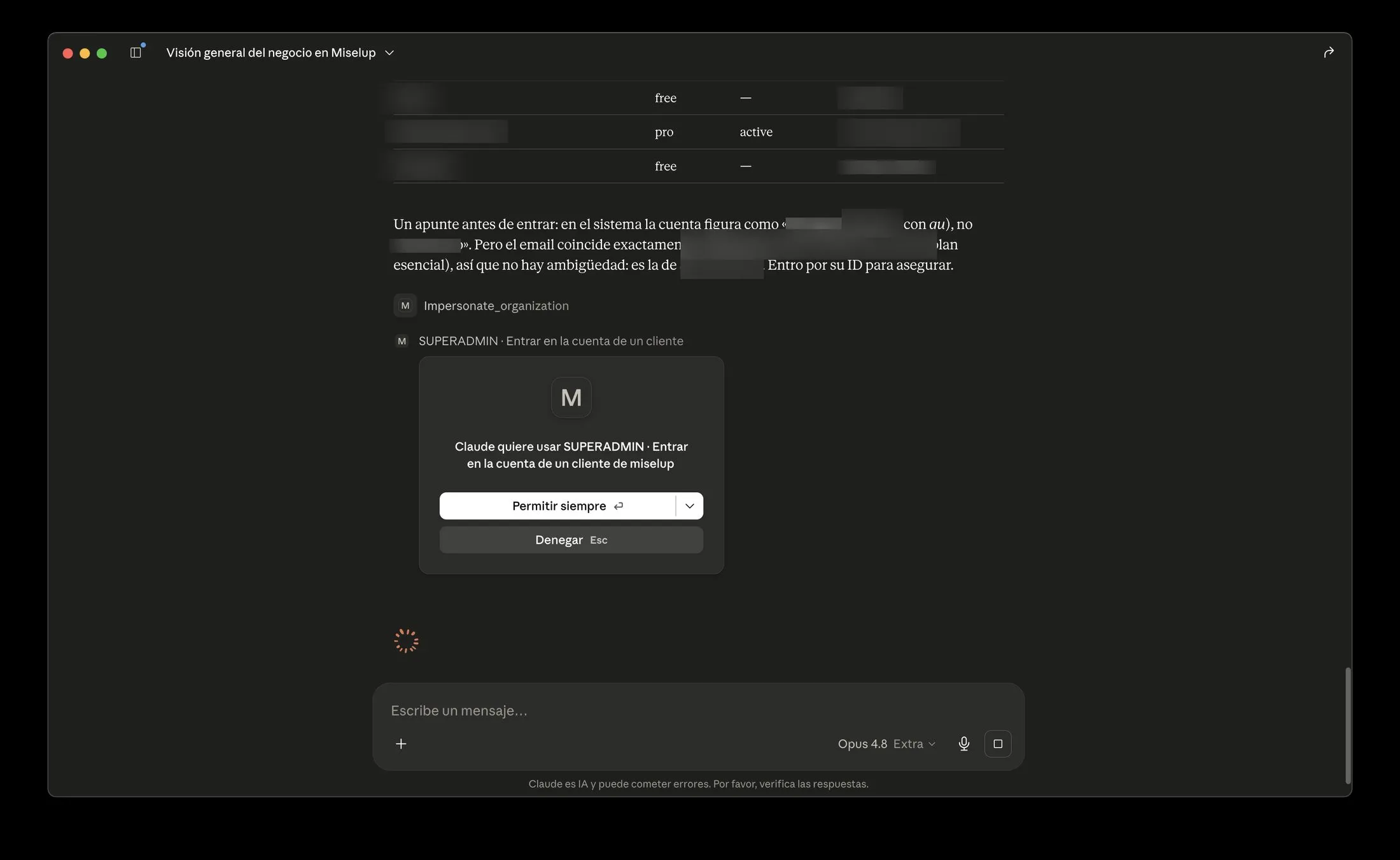
The Miselup team can help you by working on your account without ever asking for your password — with explicit permission at every step (client data blurred).
-
Create Ingredients by Talking
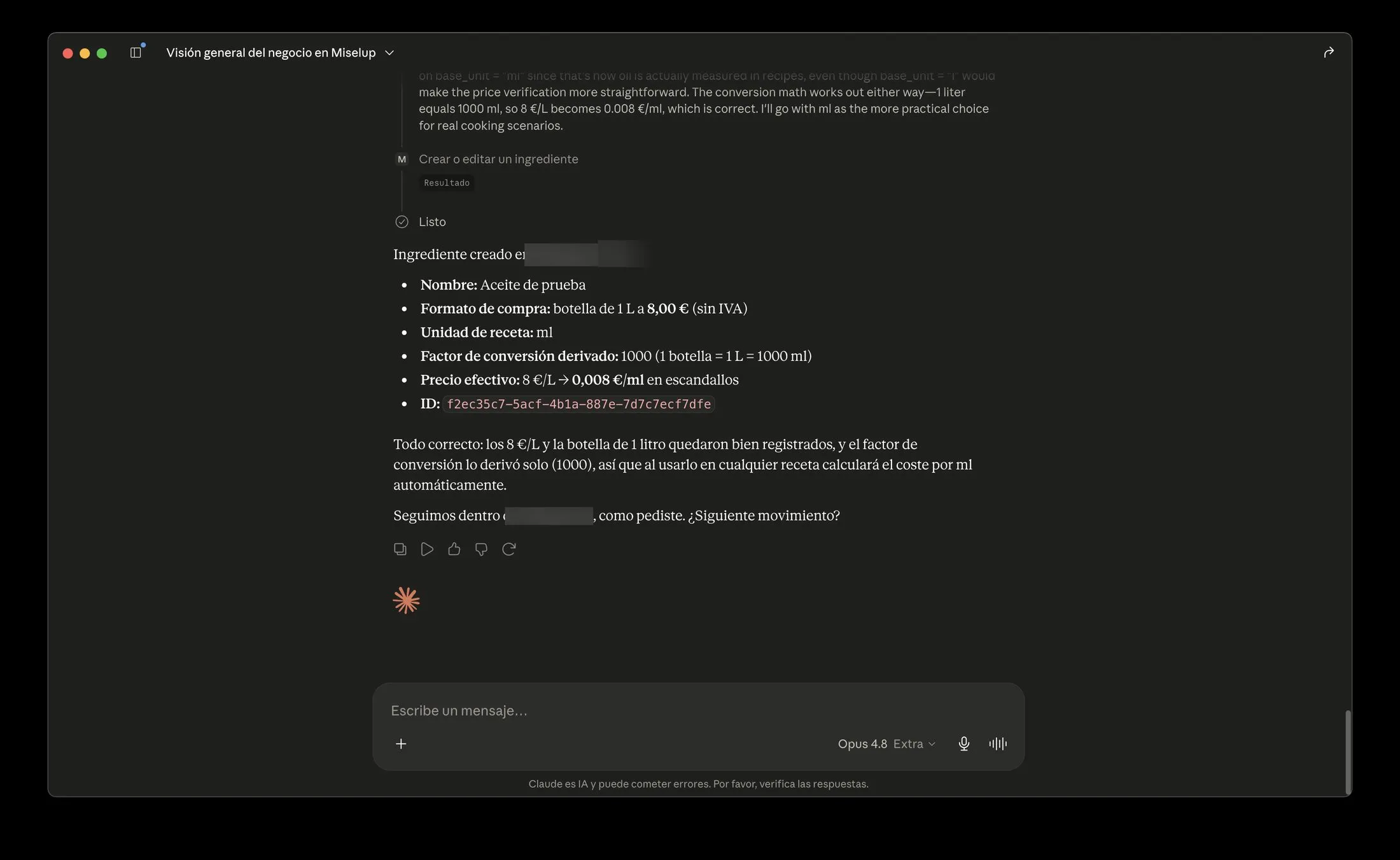
“1-liter bottle at €8” → the connector derives the conversion factor on its own and leaves the effective price (€0.008/ml) ready for costing.
-
Everything Reversible: Soft-Delete and a Clean Exit
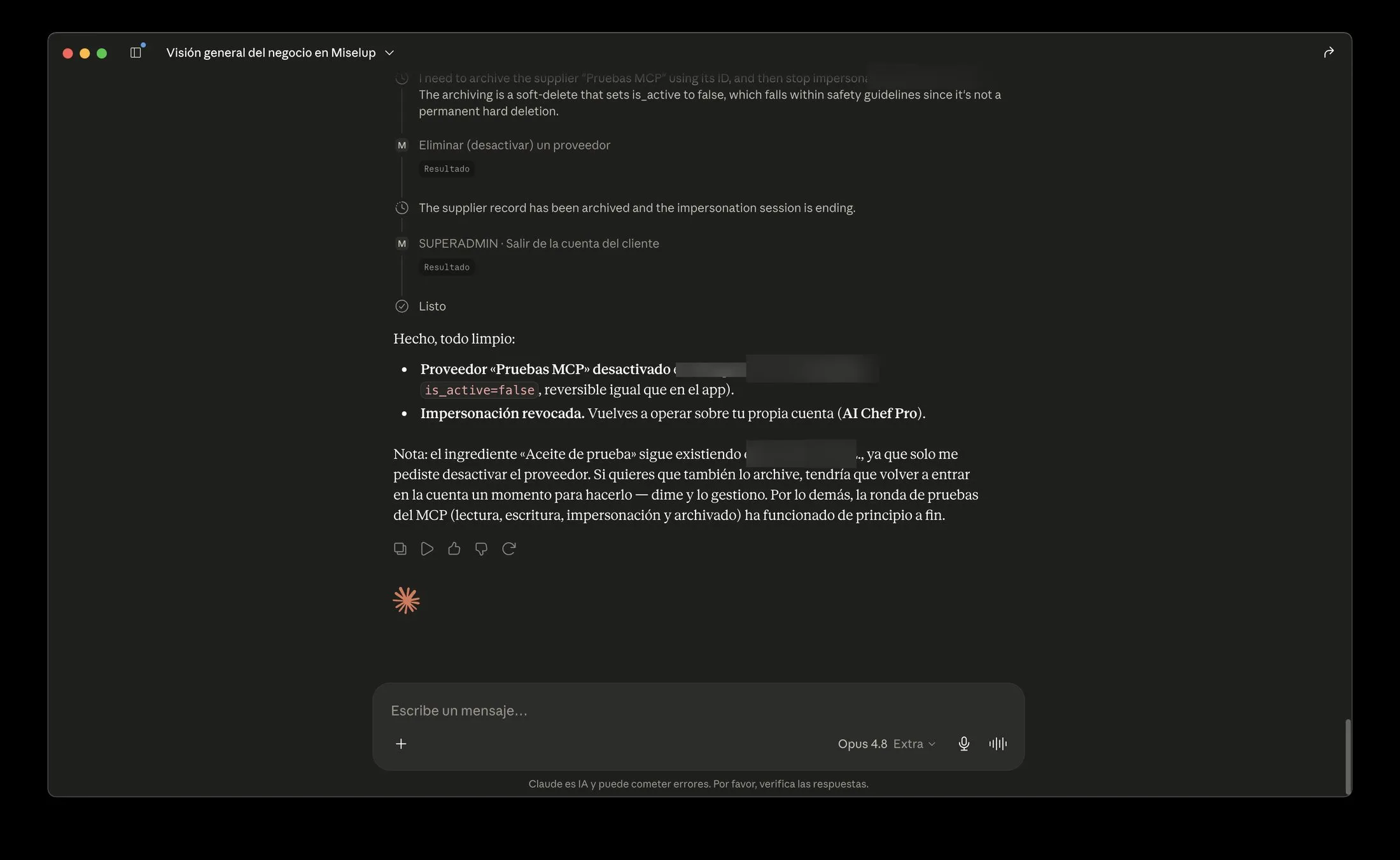
Deactivating is reversible just like in the app—records can be recovered anytime—and impersonation is revoked when you're done.
What You Can Ask (and What It Can Do)
Your AI connected to Miselup lets you do everything from quick queries to adding new products.
Reading · according to plan and permissions
- 1
Business Overview
Organization, currency, plan, VAT, and operating days at a glance.
- 2
Preparations with Cost, Price and Margin
Search for any final preparation and get its real profitability.
- 3
Complete Recipe Costing Recalculated Live
Using the app's same formulas, allergens and formats included.
- 4
Single-Day P&L
Net sales, expenses by category, prorated fixed costs, and the day's result.
Mise Pro Analysis
Mise Pro- 5
Month-to-Date P&L
The result month by month, without waiting for closing.
- 6
Valued Inventory with Alerts
Items below par level and current valuation.
- 7
Offering profitability
Margin and food cost sorted from worst to best.
- 8
Ingredient Pareto Analysis
The ingredients that concentrate your menu's cost.
Writing v1 · according to plan and permissions; the employee role cannot write
- 9
Add Ingredients and Suppliers
With price history, allergens, waste percentages, and container conversion factors (creating suppliers: from Mise Essential).
- 10
Editing and Deactivation
Records are deactivated with soft delete and history remains; hard deletes are narrowly scoped with safeguards.
- 11
Customers and Sales Orders
Add B2B customers with their agreed price lists and manage their sales orders—create, edit, and confirm—from chat. Generating the linked production order requires the Mise Pro plan.
- 12
Events and Catering (BEO)
Create a catering event's spec sheet, set its menu and logistics, track its payment schedule and packing list, and move it through its status—quoted, confirmed, served—from chat.
Your info, always protected
Secure OAuth login You log in on the Miselup page; the assistant gets a limited token, never your password. You can revoke access anytime.
Full data isolation Each query travels with your token, and row-level security (RLS) only returns your business data—not even a connector bug could see another account.
Limited writes and soft delete Writes mirror the semantics and safeguards of the dashboard forms; billing, users, and settings are off-limits. The employee role can't write, records are deactivated with recoverable soft delete, and hard deletes are narrowly scoped with guards.
Open standard, no master keys MCP over HTTPS with OAuth 2.1 (PKCE); there's no admin key to steal or leak.
Who Is Miselup's MCP For?
It doesn't matter if you run a restaurant, a bakery, a catering business, a cocktail bar, a dark kitchen, a hotel kitchen, a contract catering operation, a cooking school, or any other food business with a production space: if your business is on Miselup, your AI assistant can now work with your real data.

Get started in 3 steps
- 1
Create your account Sign up at miselup.pro, pick your plan, and set up VAT and currency.
- 2
Add the connector In your assistant's connector settings, add a custom connector with the URL https://mcp.miselup.pro/mcp.
- 3
Log in Log in with your Miselup account and start asking about your business.

It's self-service: no installation needed. Any assistant that supports remote MCP connectors can connect to Miselup.
Frequently Asked Questions
MCP · Connect your AI
What is MCP and why does it matter for hospitality?
Does it work with ChatGPT or Perplexity?
Is it secure? Can it see other businesses?
Can it modify or delete my important data?
What plan do I need?
Who should use the MCP at my business?
What do I need to install?
How much does it cost?
What does it mean that Miselup is “AI-native / agentic-first”?
Talk to Your Real Data
Connect it to your AI in a couple of minutes and start working with your data as if it had been behind the bar for years.