Mise, the Consultant Who Knows Your Numbers
It's Miselup's native AI agent: it lives inside your dashboard, not in another tab.
Ask in plain language and it reads your costing, your P&L and your inventory before answering.
What Mise does today
It's in beta and already working with your real data. This is what's live — not one line more.
You ask in plain language
“How is my month going?”, “what's eating my margin?”, “what is my inventory worth right now?”. No commands, no menus.
It reads your data before answering
Daily and month-to-date P&L, net sales, expenses, average ticket, food cost, break-even, profitability per item, recipe costing, valued inventory, menus, budget and fixed costs.
It never does the math in its head
Every figure comes from the same function that renders that screen in Miselup. The model reads and writes; the maths is not its job.
It shows you what it checked
While it answers you see what it's looking at (“Reading your P&L…”), and under every answer there's a “See what I checked” drawer.
It speaks up even if you don't ask
If the month has no sales and the costs keep running, it says so. In the first beta conversation it flagged 22 days with no revenue and €13,545 of accumulated expenses on its own.
It keeps your threads, in two languages and on mobile
Every conversation is saved with its own title and search — archived, never deleted —, it speaks Spanish and English, and it works the same from your phone.
Attach files and it analyses them right there
A photo, a PDF, a Word file, an Excel sheet or a CSV: upload it to the chat and Mise works on its content, no copy-pasting.
Proposes new entries, changes nothing without your confirmation
It can add ingredients, suppliers and prices, but it first shows you what it will do and only runs it once you confirm.
Three commitments, no fine print
These are architecture decisions, not a paragraph of good intentions.
The figures are yours. They come from your data through the same functions as the dashboard. A number with no tool behind it counts as a bug, not a nuance.
Your data never leaves your account. Every query travels with your session and row-level security only returns what's yours. Mise also refuses to run while support is inside your account: conversations are private to each business.
It tells you what it checked. You can open the list of everything it looked at to reach that answer and cross-check it against the screen you already know.
What Mise actually looks like
Real screenshots of the beta in production, using a demo account's data. This is not a mockup.
-
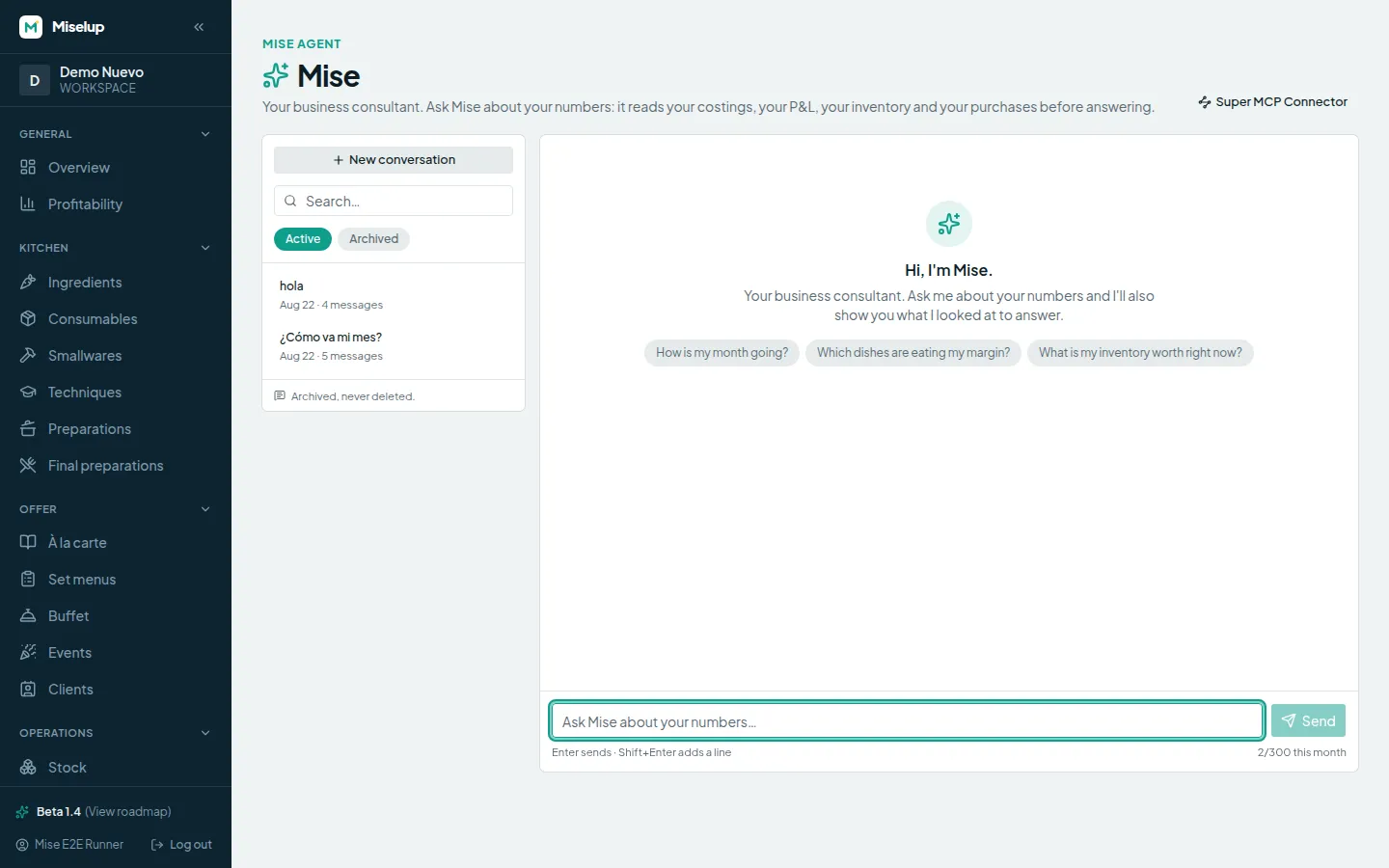
Day one: Mise introduces itself
Three suggested questions to get going, the thread list on the left and the credit balance in the composer.
-
The answer: table, alert and sources
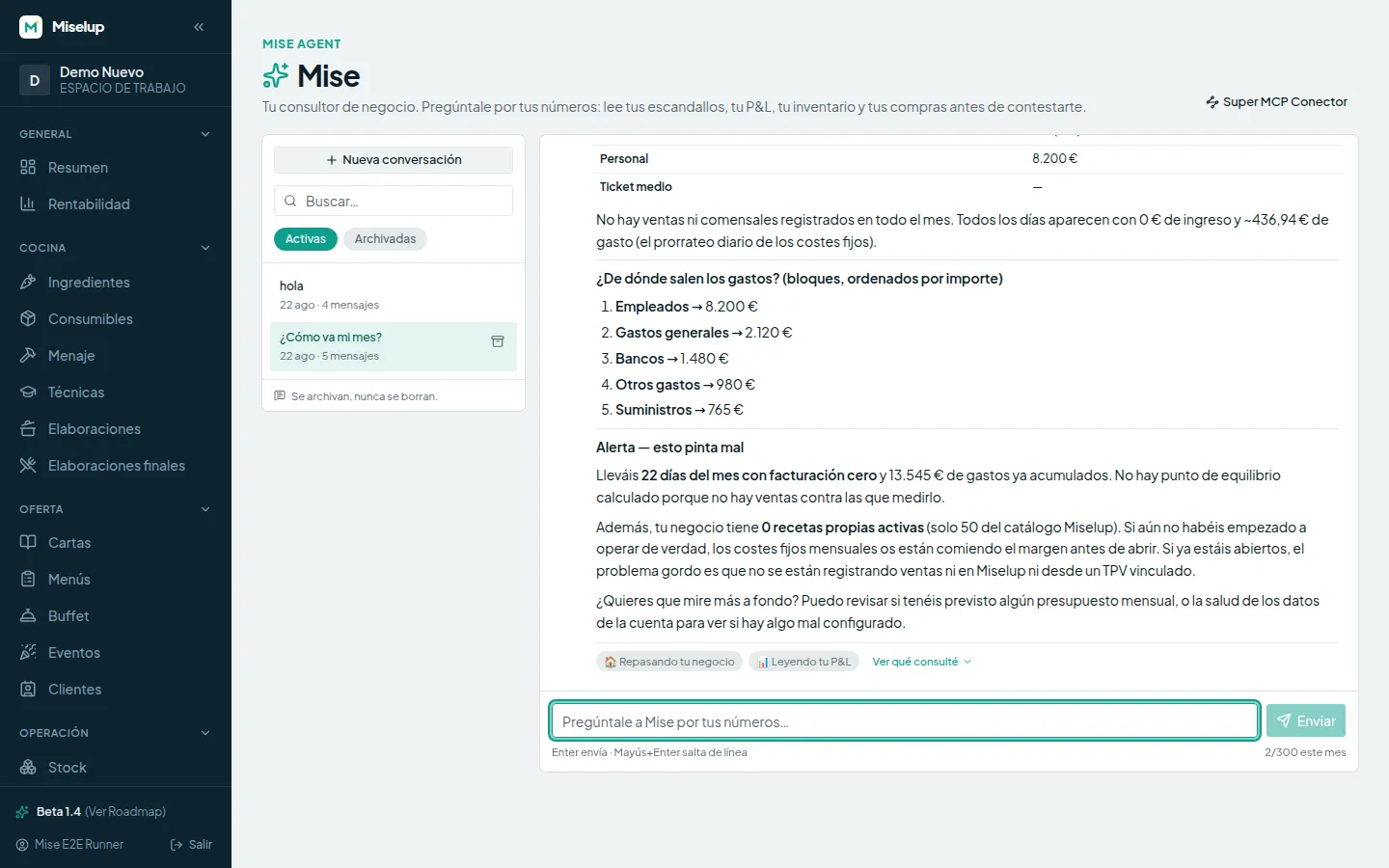
The expense breakdown, an alert nobody asked for (“this looks bad”) and, at the bottom, “See what I checked” with the tools it used.
-
Same thing on your phone
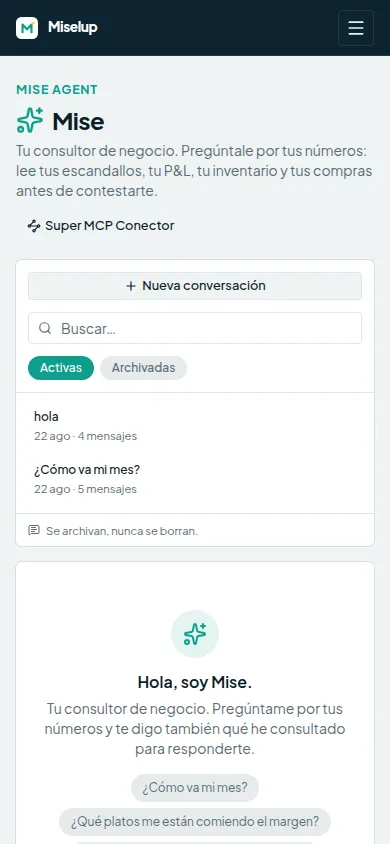
The same conversation from mobile: the month's P&L table, readable without pinching the screen.
-
And in Spanish too
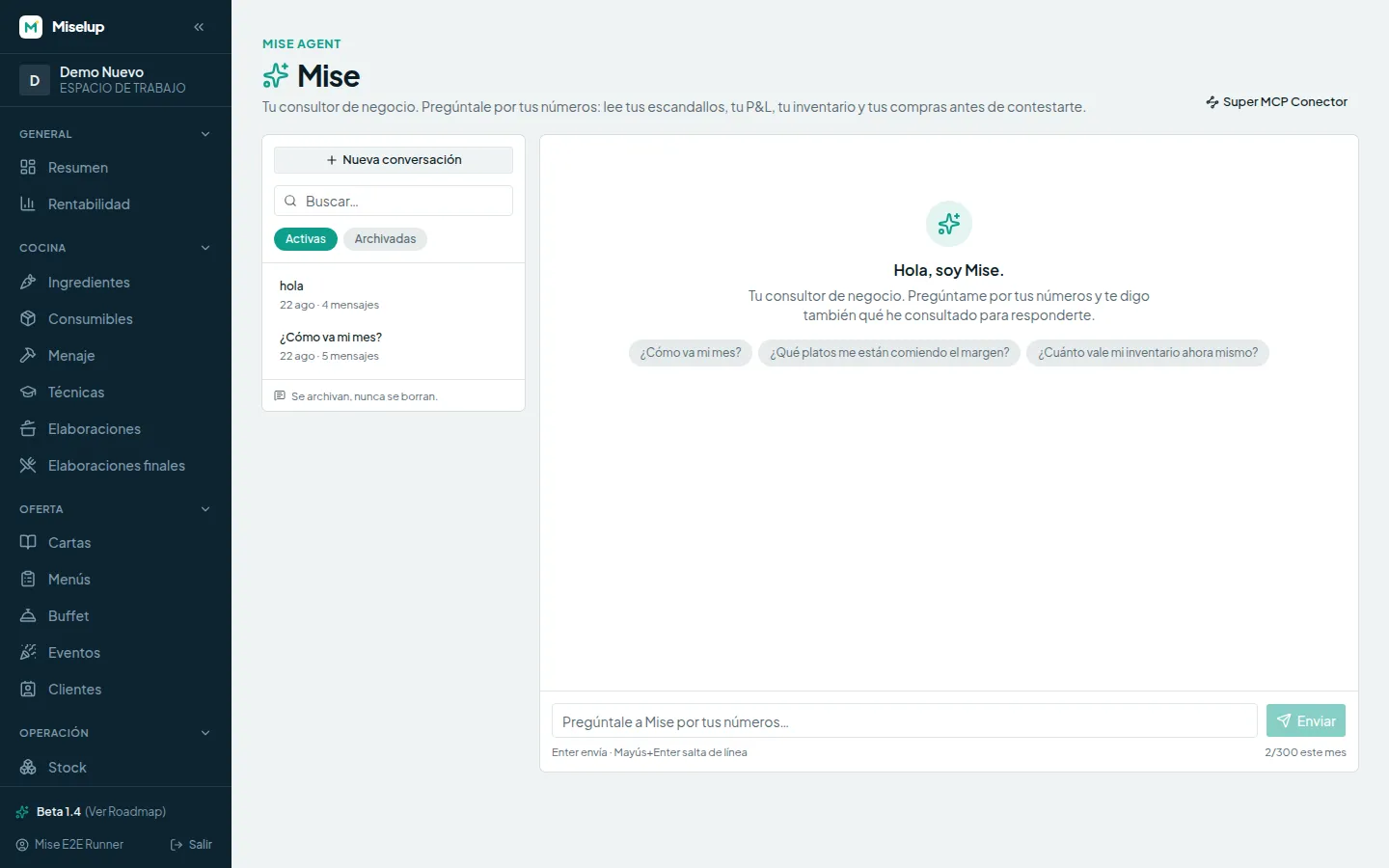
Mise speaks your account's language. Same screen, same agent, in Spanish.
What's coming (and is NOT here yet)
We tell you because it's being built, not because you can use it today. None of this exists yet.
-
Business memory
A panel with “what Mise knows about your business”, that you can read, correct and delete.
-
Business skills
Profitability analyst, P&L controller, buyer: profiles with their own focus.
-
The pulse
Reports that arrive on their own: the weekly pulse and the month-end close, unprompted.
-
Forecasts
Sales and consumption forecasts computed in code, with their assumptions in plain sight.
-
Market research with cited sources
What others charge and what's moving, always with the link so you can check it.
-
Google reviews
Reading what people say on your Google Business Profile and turning it into actions.
-
Connectors
Instagram and your website, so Mise also understands what you say outside.
No source, no promise: you won't find dates here, and nothing moves up this page until it works in production.
Frequently Asked Questions
Mise Agent
What is Mise Agent and how is it different from the MCP connector?
Does it make up numbers?
Which plans include it, and how do credits work?
Can it change or delete data in my account?
Does Mise create recipes?
Ask Mise how your month is going
Open Miselup, go to the AI section and type your first question. It's in beta and already working with your data.