Suppliers and their purchase prices
Add who sells to you, keep their prices by format, and see at a glance which supplier works out cheapest.
Updated on September 3, 2026
Where do I add a supplier in Miselup?
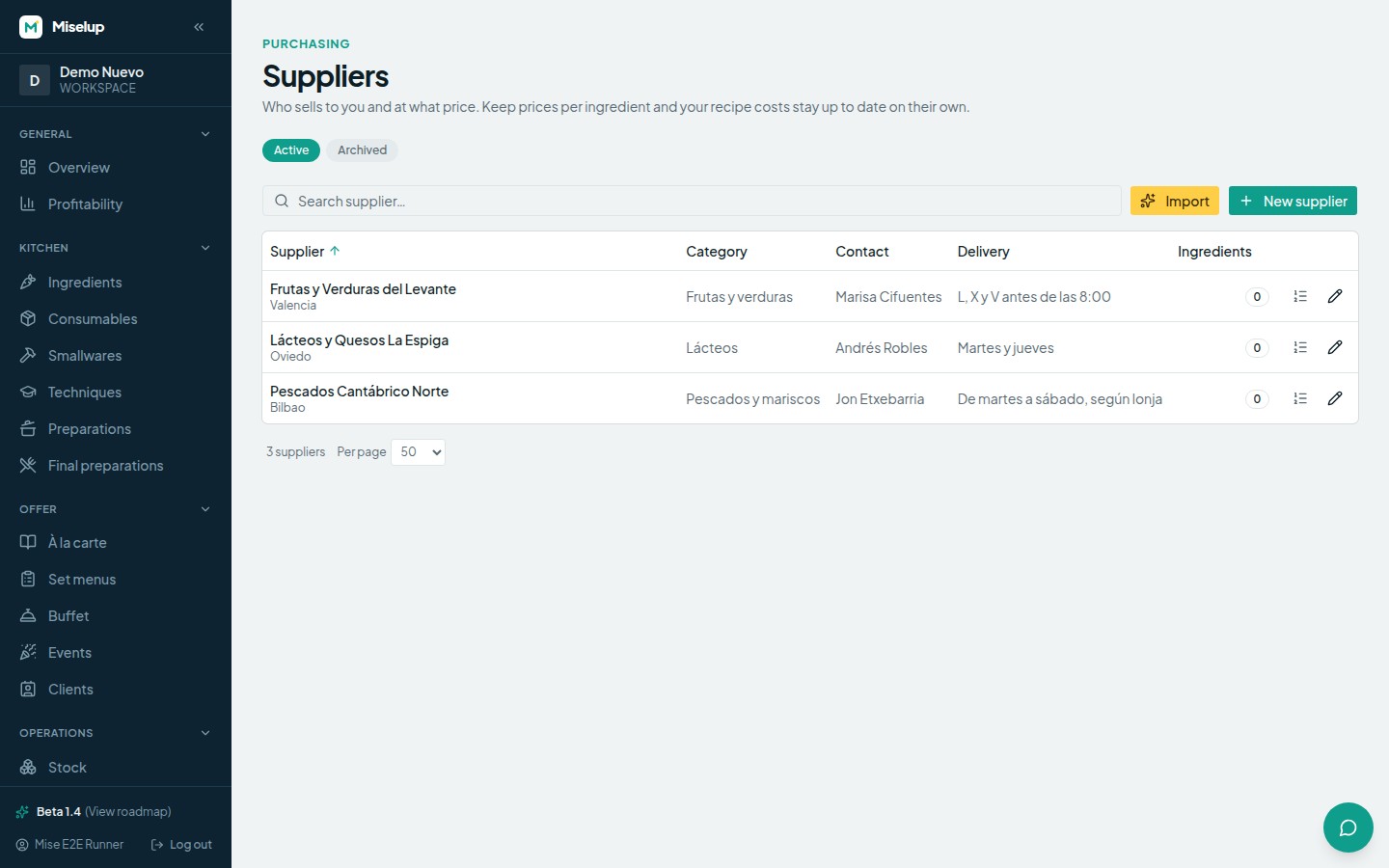
Under Operations → Suppliers, with the «New supplier» button. The only thing you really need is the Name; the rest of the record is optional and is there so you never have to look it up anywhere else: Legal name, Tax ID, Contact person, Phone, Email, City and Category (fish, meat, dry goods, drinks…). In the «Terms» block you keep Delivery days, Payment terms and Minimum order, and there is an «External ERP ref.» field in case you also keep that supplier in your ERP.
How do I store the prices a supplier gives me?
On the supplier page, under «Ingredient prices», press «Add price», pick the ingredient and answer «Purchase format»:
- «By magnitude (bulk)» — the price goes per unit of magnitude (per kilo, per liter…). That is the case for fish by weight or oil in a drum.
- «By container» — you fill in «Content», «Content unit», «Units per format» and «Price per format (excl. VAT)». A case of six 750 ml bottles is recorded like this, exactly as it comes on the invoice.
As optional extras you have the «Supplier reference» (their item code) and the «Preferred supplier for this ingredient» checkbox. Finish with «Save price». Every purchase price in Miselup is entered excluding VAT.
How do I know which supplier works out cheapest?
Miselup normalizes the prices of every supplier of an ingredient to the same base unit and shows it to you on the ingredient page: it tags the winner as «Cheapest» and tells you what is at stake with the message «The cheapest supplier saves … vs. the active one», with the amount and the percentage. If the formats can’t be converted into each other, that row appears as «Not comparable» instead of giving you a false comparison.
What happens to my costings when a supplier price changes?
Every price change is kept in the ingredient’s history. If that supplier is the active one for the ingredient, its costings update instantly: you don’t have to recalculate anything by hand. If it is a secondary supplier, the price is stored so you can compare, but it doesn’t move the cost of your recipes.
Can I link the supplier from the ingredient page?
Yes, it is the same data seen from the other side. On the ingredient page, under «Price and units», you have «Add a supplier to this ingredient». If the ingredient came from Miselup’s base catalog, watch out: suppliers link to your copy, so save the customization first and open it again. You have the detail in create an ingredient and its price.
Can I import my supplier list instead of typing it?
Yes. Under Operations → Suppliers you have the «Import» button, which takes you to the AI importer to load your list. How it works is explained in import recipes with the AI importer.
What happens if I delete a supplier?
It is deactivated and stops appearing in Purchasing, but it isn’t destroyed: the Operations → Suppliers list has the «Active | Archived» toggle, and from there you can «Restore» the record or remove it with «Delete permanently». Permanent deletion is blocked if the record is still in use (for example, «Used in 3 purchase orders»).
Known limits
- Prices are entered excluding VAT: Miselup works cost net.
- Comparing suppliers only works if their formats convert to the same base unit; if they don’t, you will see «Not comparable».
- When you add a price, the search hides the ingredients that already have a price from that supplier («No results (or it already has a price from this supplier).»): to change it, edit the row that already exists in their price list.
- Check which plan includes each module at miselup.pro/en/pricing.
Was this article helpful?
Thanks! This helps us improve the help center.
Related articles
-
Creating an ingredient and setting its price
Add an ingredient, tell Miselup how you buy it (in bulk or by container) and it works out the cost per recipe unit.
-
Purchase orders to suppliers
Build the order from what you are actually short of, adjust quantities and prices, and take it from draft to received without losing anything.
-
Receiving an order and working with lots
When you receive an order, Miselup adds the stock, creates the lot for what came in and updates that supplier's price.
Can't find what you're looking for?
Write to us and a real person from the team replies — no bots in the way when you need to talk.
Contact the team