Creating an ingredient and setting its price
Add an ingredient, tell Miselup how you buy it (in bulk or by container) and it works out the cost per recipe unit.
Updated on September 3, 2026
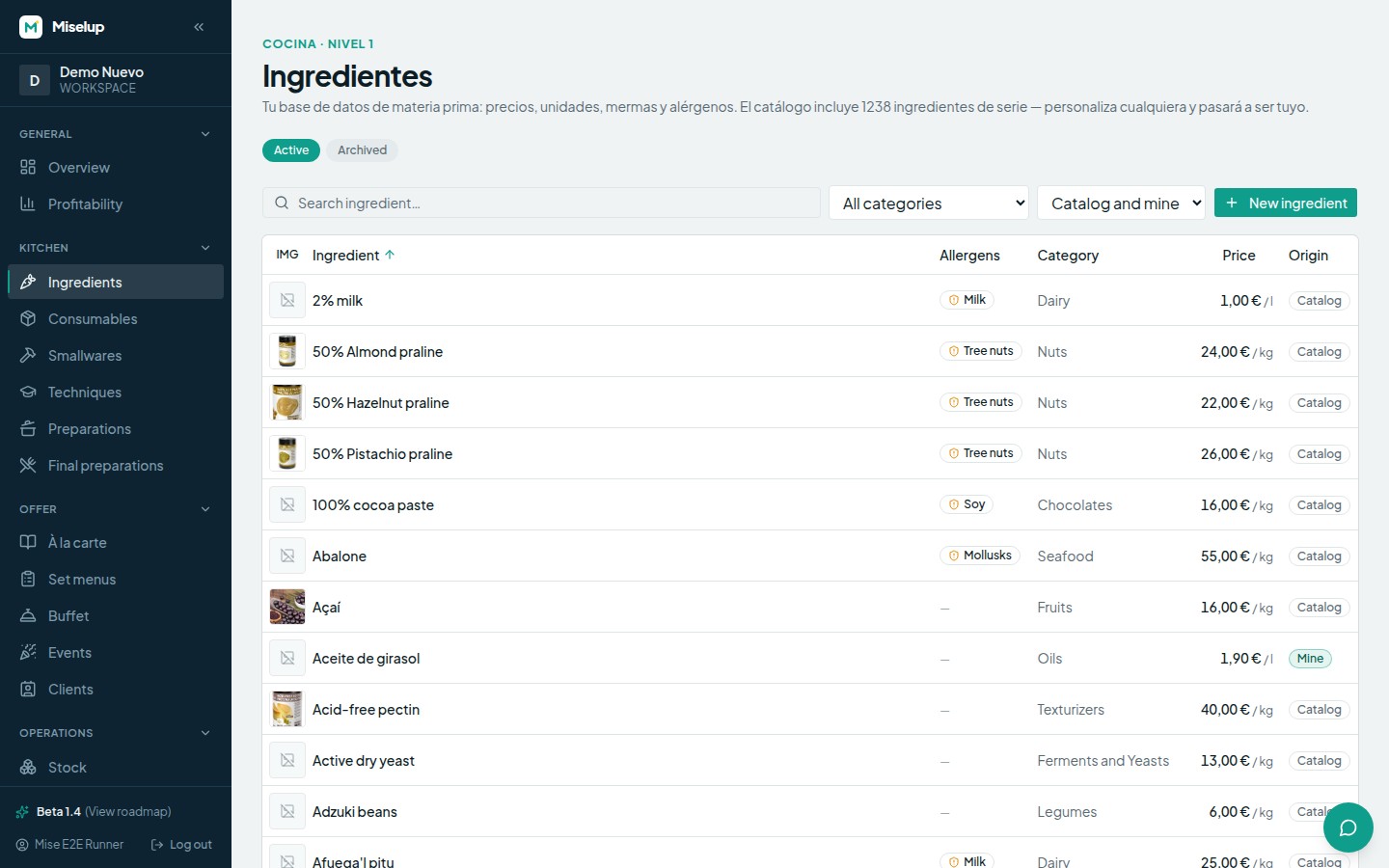
Where do I create a new ingredient?
In Kitchen → Ingredients, button «New ingredient». The bare minimum to save is the Name; the Category is optional and helps you filter later on. Miselup also ships with a base catalog of common ingredients: if you use one from the catalog and edit it, your own copy is created with your changes — the original catalog entry is left untouched and from then on you see your version.
How do I tell Miselup what it costs me?
In the «Price and units» section you answer two questions: who do you buy from now? and how do you buy it and at what price? — exactly as it appears on the invoice, always excluding VAT.
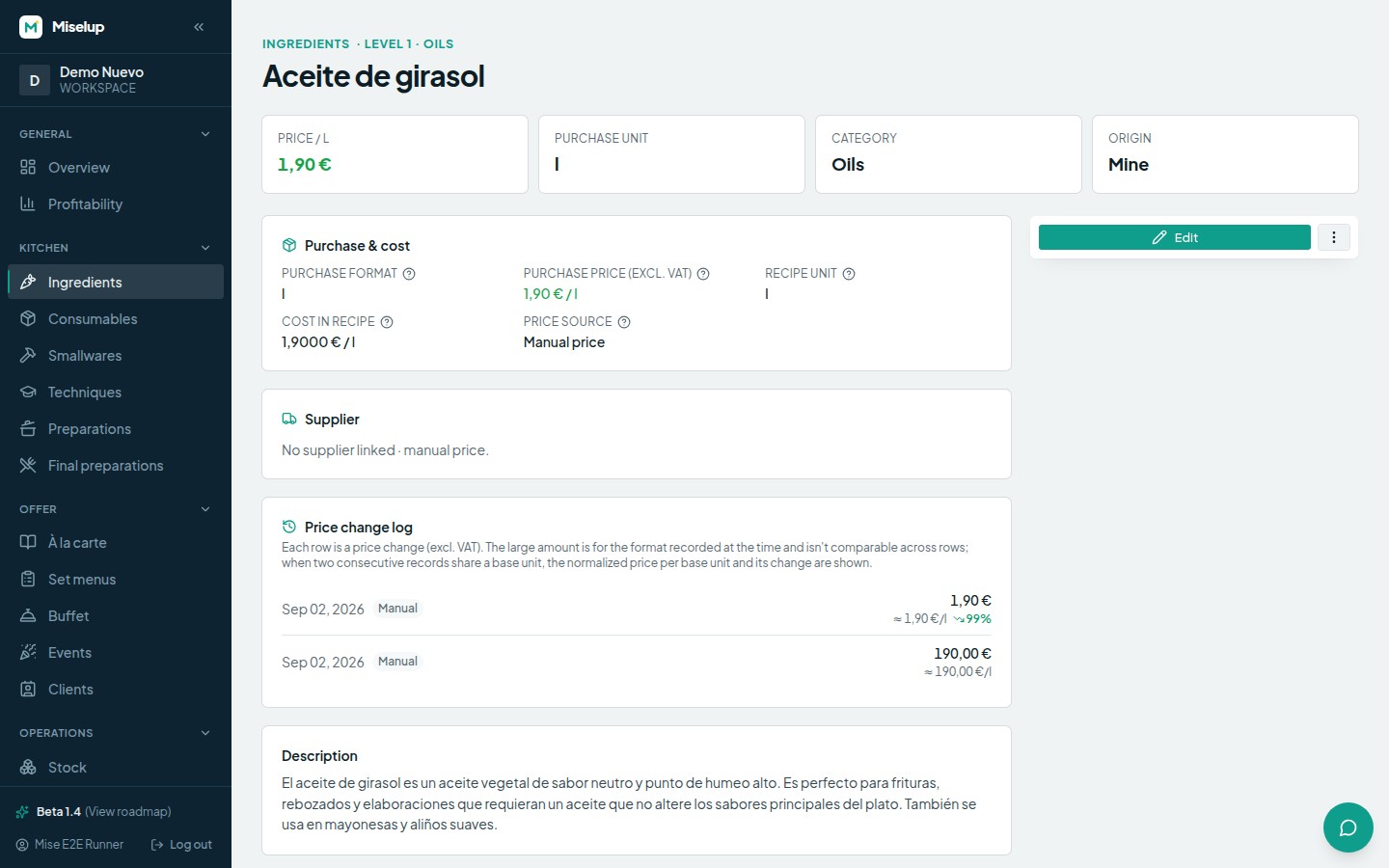
You have two routes:
- Manual price — no supplier: you type the price and that’s it. It’s the quick way to get going.
- With a supplier — you pick (or create) the supplier and record their purchase format. If an ingredient has several suppliers, Miselup flags the cheapest one and tells you how much you save against the active one.
I buy in bulk (by the kilo or the litre)
Choose the purchase format «By magnitude (bulk)» and type the price per unit of magnitude: €/kg, €/L… This is the case for bulk flour, meat by weight or oil by the tank.
I buy by the container (bottles, cases, sacks)
Choose «By container» and fill in three details:
- Content of each format — e.g.
750and its unit (ml). - Units per format — how many units it holds (a case of 6 bottles = 6).
- Purchase price of the complete format, excluding VAT.
From that Miselup works out the cost per recipe unit on its own (the internal €/g or €/ml price your recipes are costed with). Watch the magnitudes: if the content is in millilitres but you cook in grams, the app will warn you — use weight with weight and volume with volume.
Which unit do I use in recipes?
The Recipe unit is the unit that ingredient shows up in when you cost a recipe (grams, millilitres, units…). You pick it on the ingredient’s own page and you can change it whenever you want.
What if I delete an ingredient I already use in recipes?
Nothing is destroyed: it gets archived. It stops showing up in searches, but its lines and costs in recipes don’t change, and you can bring it back from its page whenever you want. If it was in use, Miselup tells you in how many recipes before you confirm.
Known limits
- The purchase price is entered excluding VAT — Miselup works costs net (tax belongs to the invoice, not to the costing).
- Suppliers are linked to your copy of the ingredient: if you customise one from the catalog, save the customisation first and reopen it to add suppliers.
Was this article helpful?
Thanks! This helps us improve the help center.
Related articles
-
Waste rates: from gross weight to net weight
Define the peel, the bones or the trim on each ingredient and your costing charges what you actually buy, not what you plate.
-
Food cost and margin: the exact formulas
Where the cost per serving, the food cost %, the margin and the suggested price come from, and what each color is telling you.
Can't find what you're looking for?
Write to us and a real person from the team replies — no bots in the way when you need to talk.
Contact the team