How to implement your HACCP plan step by step
From creating your account to reviewing the manual and recording from a phone. Step by step, with your establishment’s criteria and pending items visible.
Mise Pro HACCP: €79/month, excluding VAT Spanish catalog / Codex Mobile records

The setup, from the inside
Dashboard and team-portal screenshots with the interface in Spanish. The captions explain the setup steps in English.
-
Activate the plan and declare what your business does
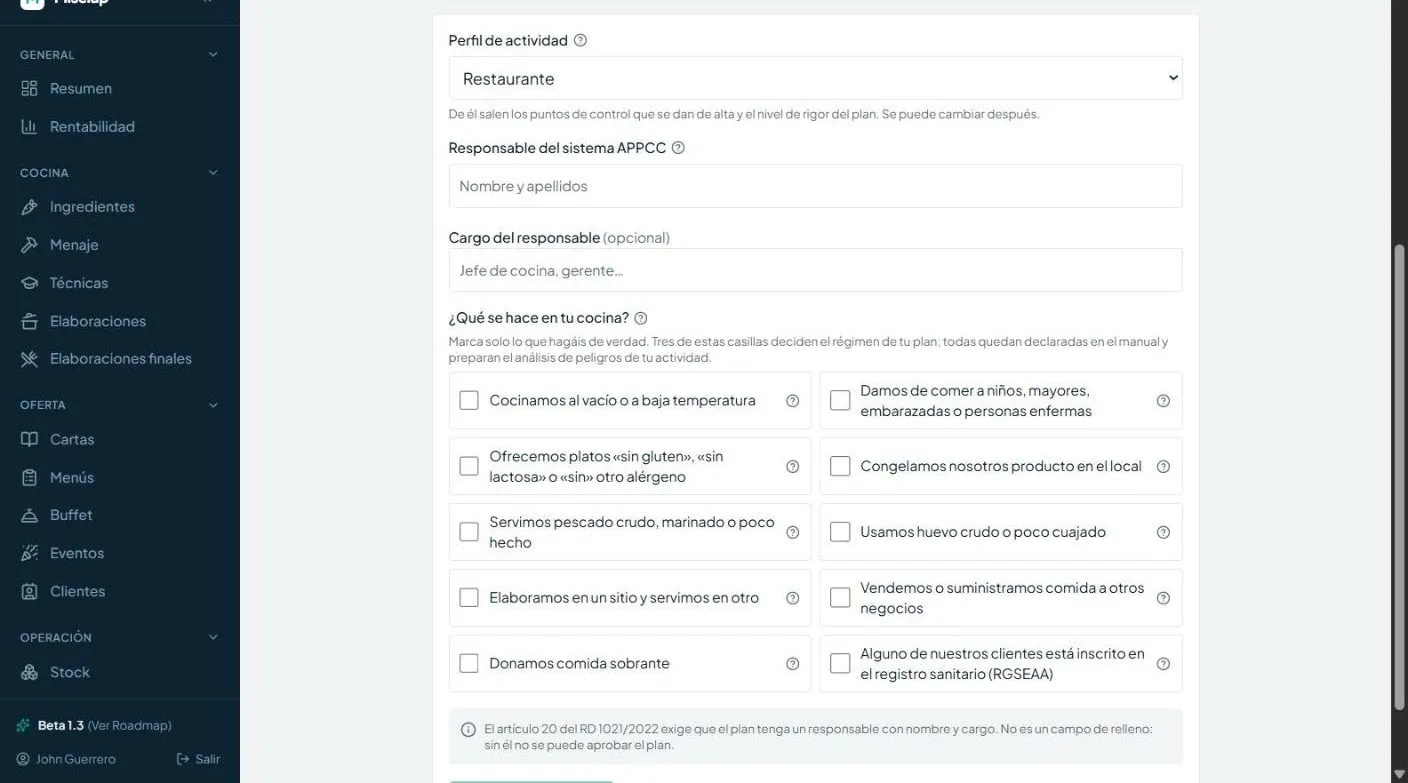
Profile, responsible person and declared activity; the ten checkboxes and simplified regime apply to Spain.
-
The team portal, on the kitchen phone
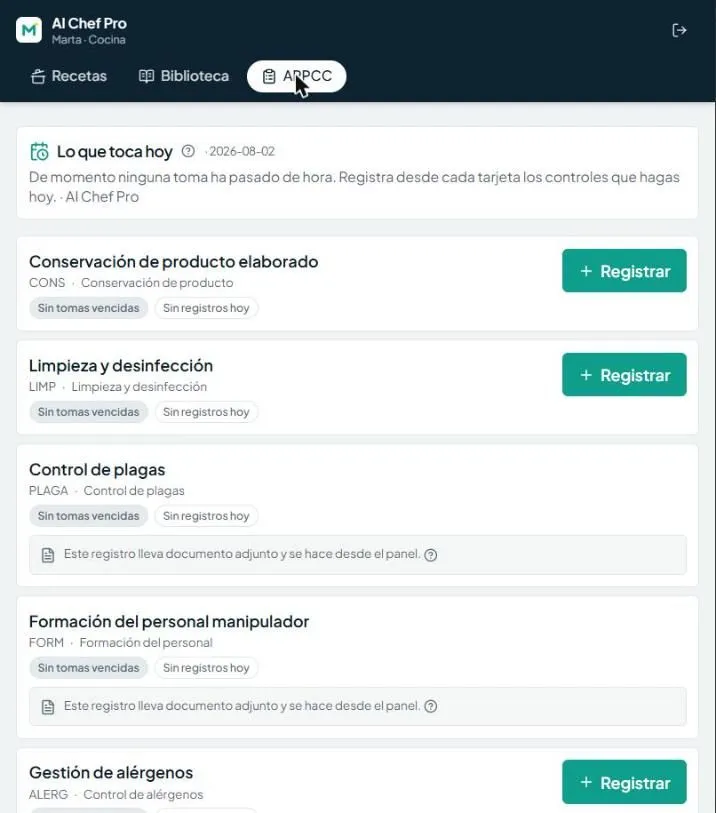
What is past its time and how many records each control has today. No courtesy greens.
-
Recording takes two taps
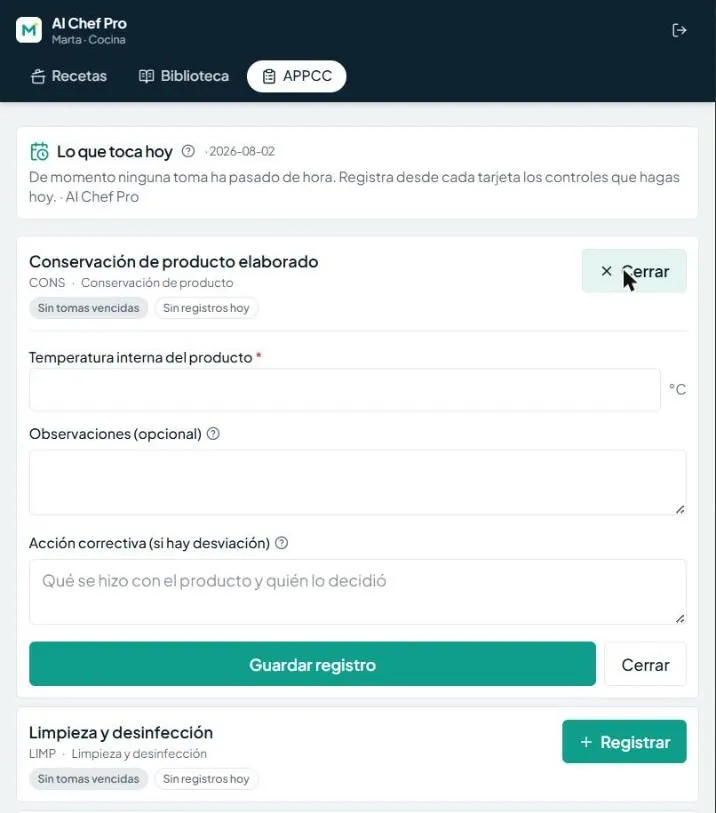
The value, the corrective action if there is a deviation, and save: signed by whoever did it.
Your activity and applicable rules determine the monitoring procedures your business needs. Paperwork, criteria and records can delay setup; preparing your information helps you work through it in order.
This guide takes you from the account to a draft, manual review and mobile records. You must assess hazards and complete your business’s criteria and procedures. The report declares what is missing; signing does not turn pending items into a complete HACCP system.
Setting it up with Miselup: what you gain on day one
Set up HACCP in Miselup: equipment, hazards, criteria and manual review. Spanish legal catalog in Spain; Codex and operator criteria elsewhere.
A plan draft to review and complete
Choose activity and responsible person and declare what your business does. Spain applies legal catalog figures; in other countries you declare criteria and frequencies under Codex. The plan starts as a draft for review.
Your team records with their name from their mobile
Each person signs in with a four-digit PIN and records the controls configured for the portal. Records keep their name, with no financial data or management account required for each worker.
The manual and book you can show an inspector
The report brings together the sealed manual, operational changes and the period’s book: criteria, authors, times, missing checks, explanations and voided entries. It also declares pending items and incomplete reads.
Setting up your HACCP by hand vs. with Miselup
This is what changes when you digitize the setup and daily operation of your HACCP plan.
| Task | By hand | With Miselup |
|---|---|---|
| Setting up the plan and its control points | Design the plan from scratch, research control points and frequencies for your activity, struggle with templates. | Choose profile and responsible person and declare activity. The plan starts as a draft with the relevant controls; in CODEX you must declare criteria and schedules before they can be required. |
| Declaring criteria | Hunt down regulations for each temperature or cooking figure. If you can't find a number, you make one up and cross your fingers. | In Spain, applicable catalog legal figures are filled in with their reference; where a criterion is missing, declare it with justification. Outside Spain, limits and frequencies belong to the operator under Codex, without Spanish figures presented as local law. |
| Getting the team to record daily | Paper, pens, lost sheets, illegible signatures, deviations without corrective action. | Mobile portal with large buttons. Two taps: enter the value and save. Instant verdict. If there's a deviation, it asks for corrective action before saving. Voided with reason, not deleted. |
| Preparing for inspection | Check folders, look for records, pray nothing is missing. | Open the report and press print. It shows the manual and period’s book, with criteria, missing checks and voided entries. Review pending items and incomplete-read warnings; narrow the period if it is truncated. |
The 7 steps of setup
With your business’s information at hand, prepare the draft, review its pending items and sign the edition you reviewed. Your team records against configured controls.
1) The account and subscription
Create your account and choose the subscription that includes the full HACCP suite. If you already work with Miselup, activate it from your billing panel: the module appears instantly, no migrations, no waiting.
2) Your establishment
In company settings, review the name, time zone, and your health registration. The time zone ensures 'today' records are calculated with your kitchen's time. The health registration identifies your location in the report header; if you haven't declared it yet, the screen reminds you.
3) Your cold and hot equipment
Register each walk-in, fridge, freezer, or hot table with its temperature range. From each piece of equipment, its control point is born with automatic traffic light: within range, correct; out of range, alert with corrective action. If you buy a new walk-in, register it and click 'Update controls': its control point appears automatically.
4) Activate your plan
Choose activity and responsible person and declare what the kitchen does. Spain shows ten checkboxes and the Spanish simplified regime; outside Spain there is no RGSEAA checkbox or declaration of that regime. The draft needs applicable criteria and schedules before recording. Review proposed hazards or declare your own, link them to controls and complete the manual sections.
5) Declare your criteria
In Spain, applicable legal figures for receiving, storage and other controls come from the catalog with their citation. Your own criterion cannot weaken them. Where a criterion is missing —such as the cooking temperature/time pair— declare a value and justification. In CODEX declare criteria, frequencies and windows. For cleaning and disinfection, define contact time in minutes; an older criterion without a unit needs a new version with an explicit unit. Configure the processes you use: cooking, blast chilling, reheating, egg preparation, anisakis treatment and thawing. Their forms record checks and, where applicable, a start and finish or abandonment.
6) Review and sign
Review the hazard analysis, links and manual sections. Approval seals that exact review with the person’s name and date; a company name does not sign. If person and business share a name, confirm you are signing as a person. Spain sets the next review one year out; CODEX sets no automatic annual review. The manual is preserved with visible pending items. Operational changes that increase monitoring are versioned; weakening controls or changing profile requires a new approved edition.
7) Your team logs in with their PIN
Register each person with their name, area, and a four-digit PIN. Share the portal URL or print the QR and stick it in the kitchen: each person logs in from their mobile or tablet, no username or password, just their PIN. In the portal, they see the recipe book you decide (without prices or costs) and record the day's controls: the screen tells them which readings are overdue and how many records each control has. They also see open receiving and lot-storage obligations for their authorised controls and select them when recording. In two-act processes, only the final act covers the obligation. Each record keeps their name and its verdict. If someone leaves the team, you deactivate them and their access is cut off immediately.
Temperature, catering and allergen guidance
- HACCP plan template and example Twelve steps, seven principles, hazard and CCP tables, and a printable blank template.
- HACCP temperature logs Illustrative references, log sheets and recording mistakes.
- HACCP for catering Checks for production, transport and off-site service.
- Allergen control Declarations, procedures and review of recorded information.
The setup, in the kitchen
HACCP setup guide
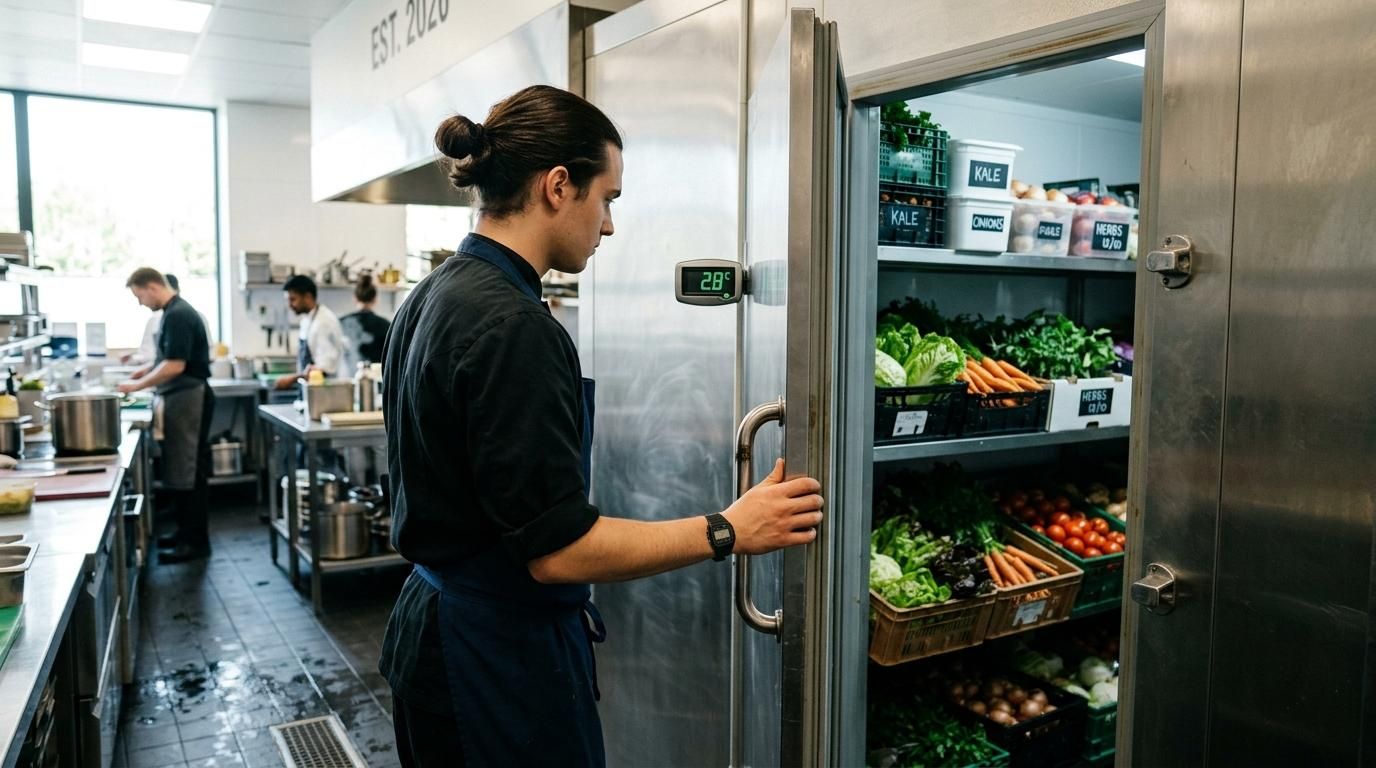


1 afternoon
an indicative first record, not a complete system rollout
4 digits
each worker's PIN
72 h
to void a mistake, with a reason
Frequently asked questions
HACCP setup guide
What information should I prepare before activating the draft?
How do I give the team access by URL and PIN?
How do I change a PIN or renew the portal URL?
Where do I complete a criterion awaiting definition?
How does the team record a reading and corrective action?
How do I void an incorrect record?
How do I document a reading entered after it was taken?
What should I check before printing the period report?

John Guerrero
Gastronomy consultant · Founder of ChefBusiness and Miselup
15+ years advising restaurants, bakeries and hospitality businesses across Spain and Latam. Creator of ChefBusiness, AI Chef Pro and Miselup: the digital mise en place his clients use to control food cost to the cent.
Set up your business’s HACCP, step by step
Gather your establishment’s information, review hazards and criteria, and prepare the team’s records.