Your first recipe costing in 10 minutes
The short route: add two or three ingredients, build a final preparation, and see its cost, its food cost and its selling price.
Updated on October 19, 2026
Where do I start my first costing?
A costing in Miselup is a preparation with its ingredient lines: each line contributes its cost and the sum is the cost of the dish. So the order is always the same: ingredients with their price first, then the final preparation that uses them. With three ingredients and one dish you have your first costing up and running.
Coming from an Excel template? See the guide to the free calculators and templates.
Step 1: add two or three ingredients
- Go to Kitchen → Ingredients and press «New ingredient».
- Type the Name and tell Miselup how you buy it and at what price, always excluding VAT.
- Repeat with two or three raw materials from a dish you know by heart.
If the ingredient is already in the built-in catalog that ships with Miselup, search for it and use it as is: all you’ll have to do is put in your purchase price. The full detail on prices, formats and suppliers is in Creating an ingredient and setting its price.
Step 2: create the final preparation
- Go to Kitchen → Final preparations and press «Create final preparation».
- Under «Final assembly details» put the Name of the dish and the Sale units (the servings the recipe yields).
- Save so you can start working on the composition.
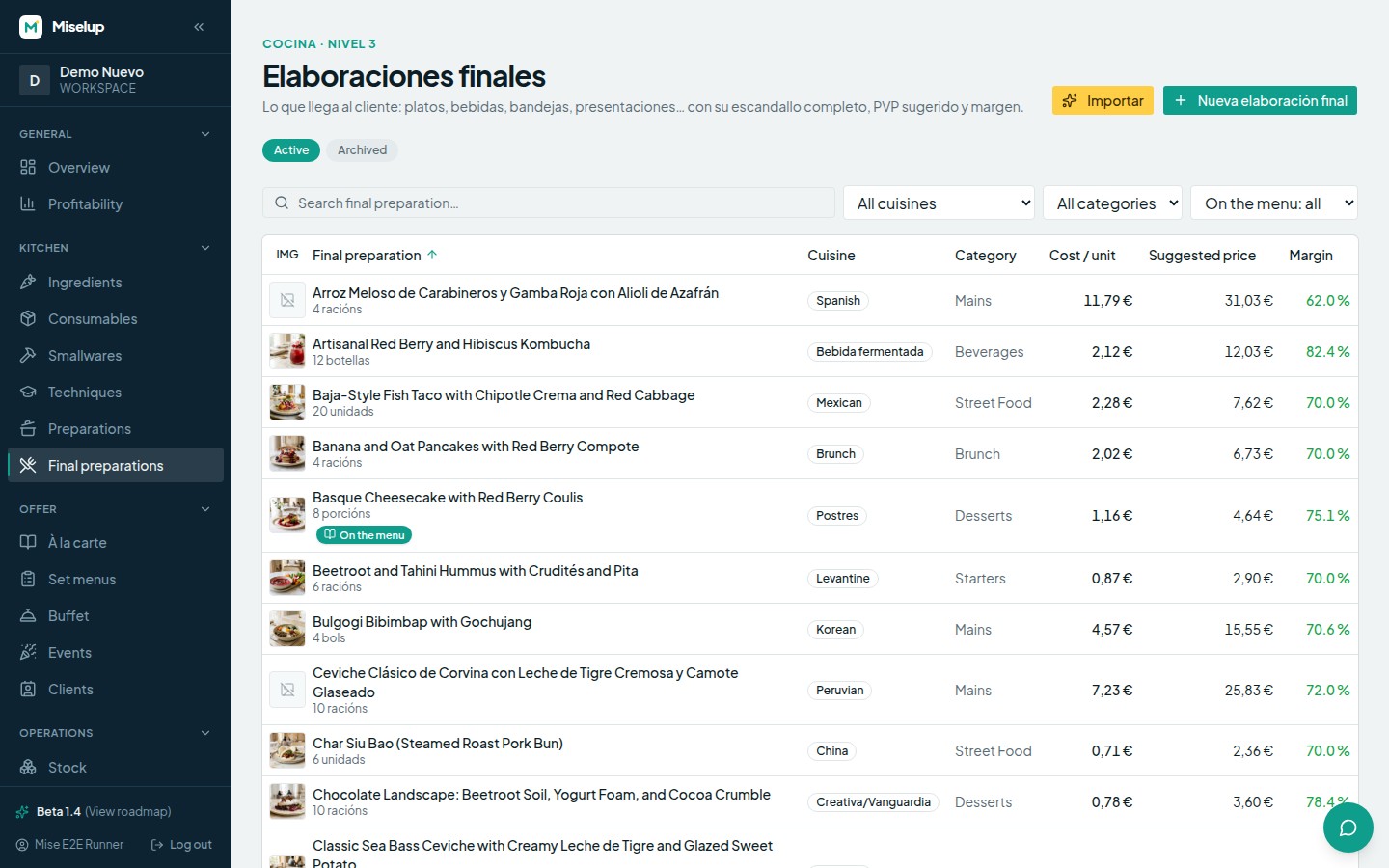
A final preparation is anything you sell: a dish, a cocktail, a catering tray or a bakery item. Missing a category? Create it in Account → Categories.
Step 3: build the composition
In the «Composition» section you search for each ingredient by name and add it as a line. For each line you fill in the Quantity and its Unit; if the ingredient has waste rates defined, you pick which one applies and Miselup shows you the gross amount you have to buy or prep so the line’s net amount is left over.
If you search for something that doesn’t exist yet, the search box itself offers to create the ingredient or create an intermediate preparation without leaving the screen.
Step 4: look at the cost and set the price
With the lines in place, Miselup already gives you the Total cost of the final preparation and its cost per sale unit. To get to the selling price:
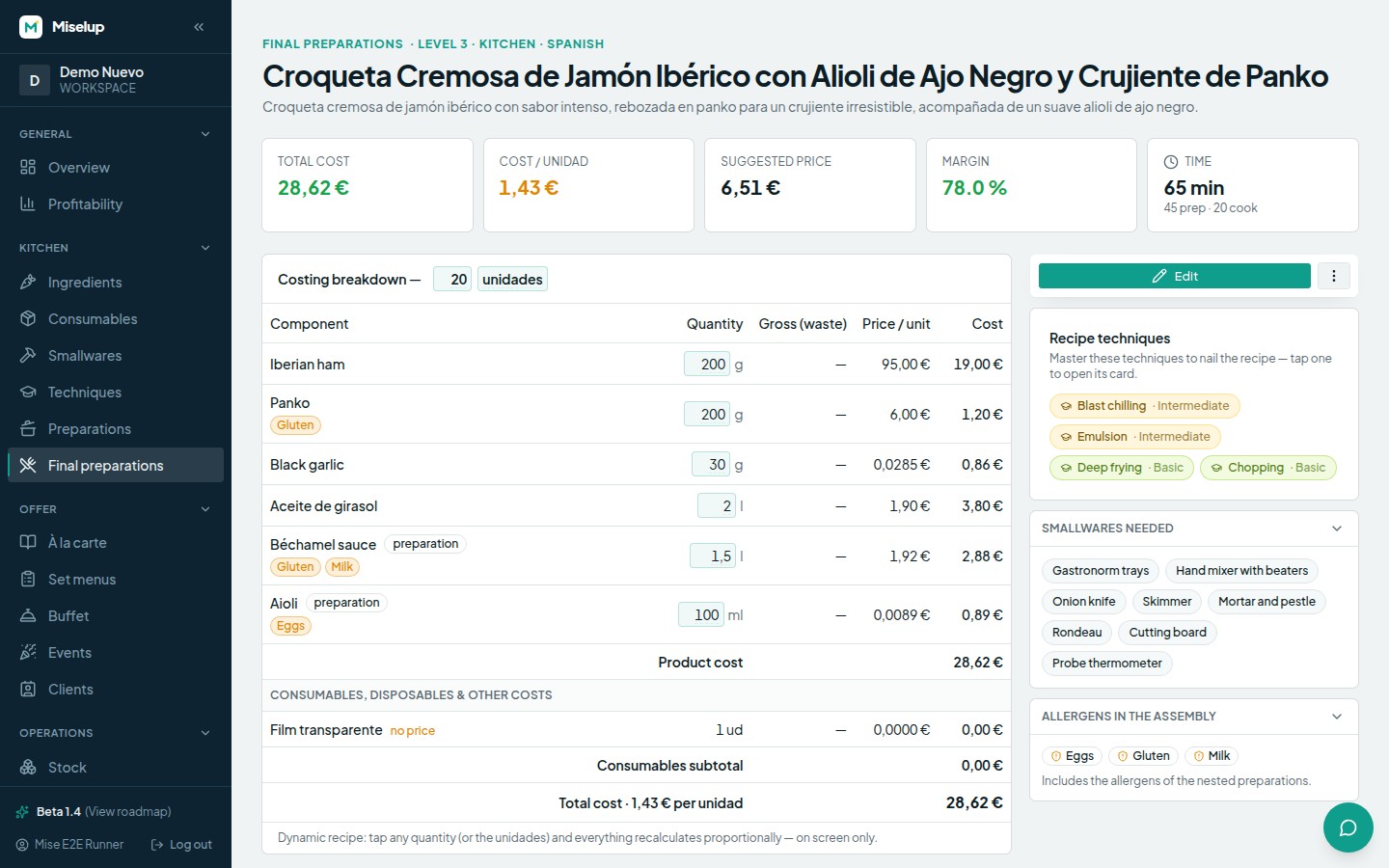
- Type your Target margin as a percentage (margin is calculated on the selling price and goes up to 95%).
- Miselup returns the Suggested price and shows you the equivalence: an X% margin equals a Y% food cost and selling at a multiple of your cost.
- If you already have a menu price, put it in «Sale formats & prices» with its format (plate, tray, beverage, piece…) and you’ll see the Real margin and the Food cost for that specific price.
Why is an ingredient coming in at 0.00?
Because it has no price. Miselup flags those lines with the «no price» badge and warns you that the line is costed at 0.00 and the real cost is higher. Open that ingredient, set its purchase price and the costing recalculates on its own.
Known limits
- The costing margin only covers raw materials. It doesn’t include staff, rent or fixed costs: your real profitability is lower. To see it, the P&L management module works out your real margin using your operating cost.
- Scaling the recipe on screen doesn’t modify it. When you use the scaled view Miselup warns you that the saved recipe doesn’t change.
- Weight with weight, volume with volume. If the line’s unit isn’t compatible with the ingredient’s, Miselup flags it and that line isn’t costed until you fix it.
Was this article helpful?
Thanks! This helps us improve the help center.
Related articles
-
Creating an ingredient and setting its price
Add an ingredient, tell Miselup how you buy it (in bulk or by container) and it works out the cost per recipe unit.
-
Food cost and margin: the exact formulas
Where the cost per serving, the food cost %, the margin and the suggested price come from, and what each color is telling you.
-
Importing recipes with the AI Importer
Upload a photo, a PDF or a CSV —or paste the text— and the AI turns your recipe into a Miselup sheet with its costing.
-
Free calculators and templates on the website: which to use and when to move to the app
Six free calculators and four free templates on miselup.pro: what each one does, which ask for an email, and when it is worth moving to the app.
Can't find what you're looking for?
Write to us and a real person from the team replies — no bots in the way when you need to talk.
Contact the team